For a creator who records audio, makes videos, or works across several devices, useful gifts can support the whole process, from capturing a take to moving files and arranging a workspace.
These ten gift ideas cover practical tools and small studio upgrades, with options for different setups and gifting budgets.
10 Gift Ideas for Content Creators
MAONO Wave T5 Mini Wireless Lavalier Microphone

- Records at 48kHz/24-bit.
- Features four professional voice presets.
- The charging case provides 40 hours of total use.
Best Gift For: A video creator who wants a compact microphone for solo recording.

FIFINE T669 USB Condenser Microphone Kit

- Connects to a PC or laptop with plug-and-play USB.
- The cardioid capsule captures audio from the front.
- Includes a double pop filter that removes rushes of air and helps minimize popping sounds.
Best Gift For: A podcaster or voiceover creator building a home recording setup.
HP Sprocket Select 2.3x3.4 Instant Photo Printer

- Prints 2.3 x 3.4-inch photos from a smartphone or social media.
- The glossy sticky-back photo paper has colors embedded inside.
- The HP app includes editing tools for personalizing photos.
Best Gift For: A creator who likes turning phone photos into shareable keepsakes.
HUANUO FlowLift Dual Monitor Stand

- Fits monitors from 13 to 32 inches, weighing 4.4 to 19.8 lbs per arm, with VESA mounting holes spaced 75x75mm or 100x100mm.
- Supports both C-clamp and grommet mounting options.
- Built-in cable management guides cords along the arms.
Best Gift For: A creator with two compatible monitors who wants more desk space.
Nulaxy 18-Inch Telescopic 360 Rotating Laptop Stand
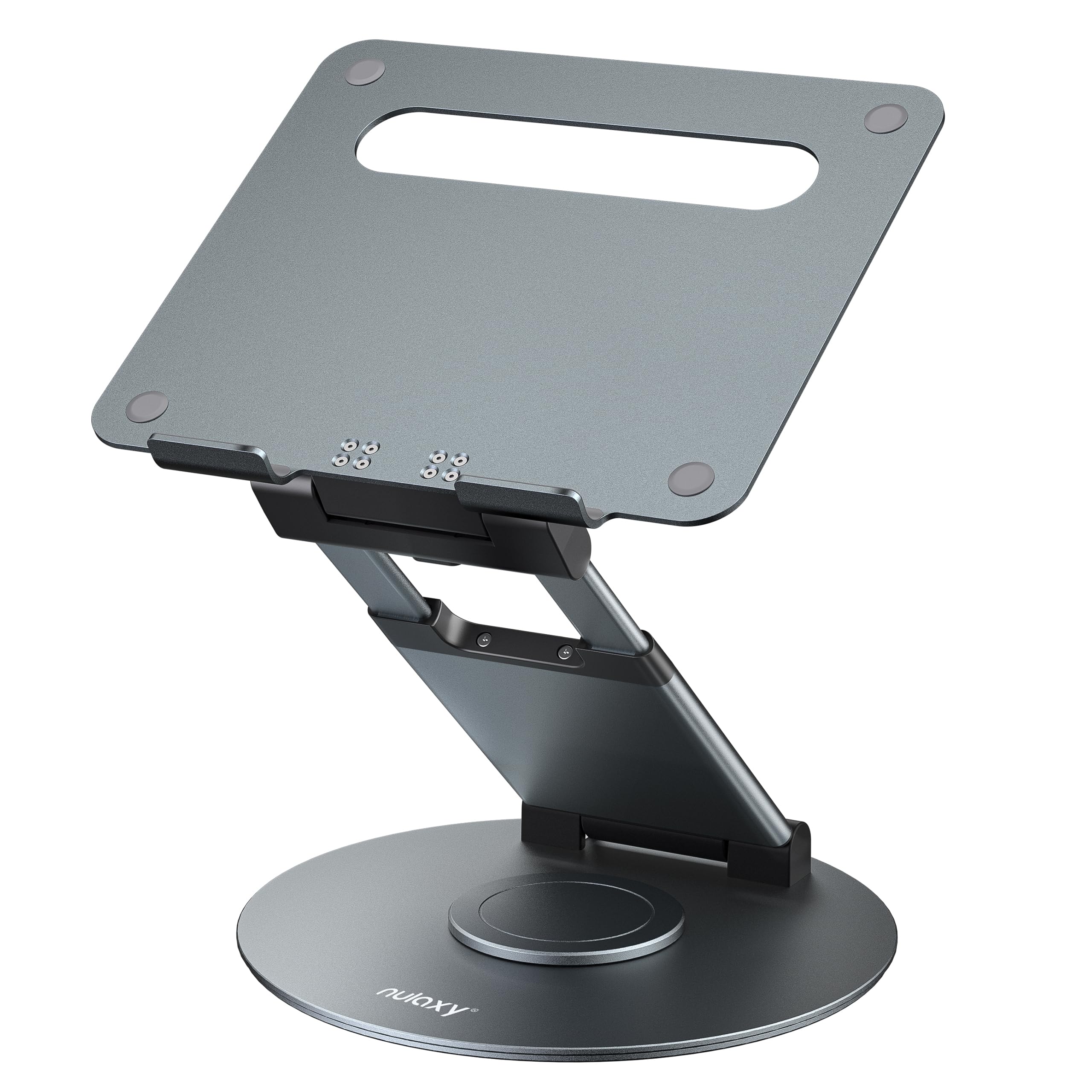
- Rotates to share a screen with someone across the room.
- Adjusts in height up to 18 inches.
- Folds for storage or carrying between workspaces.
Best Gift For: A laptop user who wants to adjust screen height while working.
5000mAh Slim Magnetic Wireless Power Bank

- Its 5000mAh battery can provide up to one full charge for an iPhone 16.
- Provides wireless charging for MagSafe-compatible iPhones and USB-C output.
- Slim design measures 11.8mm thick.
Best Gift For: A mobile creator who wants backup phone power while taking calls or photos.
SABRENT USB-C & USB-A SD and Micro SD Card Reader

- Has USB-C and USB-A connectors.
- Dual slots support SD, SDHC, SDXC, microSD, microSDHC, and microSDXC cards.
- No drivers or software are required.
Best Gift For: A creator who transfers camera photos and video files to a computer.
SABRENT USB-C 6-Port Hub & M.2 SSD Dock

- Includes an M.2 slot for an SSD.
- The HDMI port supports an external display up to 4K@60Hz on DisplayPort Alt Mode compliant devices.
- Provides up to 90W bypass charging power delivery.
Best Gift For: A laptop creator who wants to connect peripherals, a display, and extra storage.
Nylavee Desktop Computer Speakers with 6 Lighting Modes

- Includes six touch-controlled lighting modes.
- Connects audio through a 3.5mm connection.
- A single knob controls power and volume.
Best Gift For: A creator who wants wired speakers for listening at a desk.
SteelSeries Arctis Nova Pro Wireless Gaming Headset

- Can connect two systems at once and toggle between them.
- Includes active noise cancellation and Transparency Mode.
- Two hot-swappable batteries support continued gaming without stopping to recharge.
Best Gift For: A creator who records or streams at a computer and wants a wireless headset with a microphone.
Choosing gifts for content creators by workflow
When choosing gifts for content creators, start with the part of making that person does most often. Someone filming solo may appreciate a small audio tool, while a desk-based podcaster may get more use from a microphone setup that stays ready for recording.
Think through the full routine: capture, review, edit, move files, then share. A card reader or hub can suit someone who handles camera media, while a photo printer offers a more hands-on way to turn finished images into small keepsakes.
If you are unsure, look for a tool that fits a familiar habit rather than adding a whole new one. A creator who already records at a desk may welcome a workspace accessory; someone frequently filming away from home may prefer something easier to carry.
Balancing budget and usefulness
A thoughtful creator gift does not need to be a major studio purchase. Smaller accessories can solve recurring annoyances, such as transferring files or keeping a phone powered during a shoot, while larger workspace upgrades make sense when you know the recipient’s setup well.
For a bigger present, consider pooling contributions toward a tool the creator has mentioned wanting. Before buying a monitor mount, hub, or recording kit, check actual prices and compatibility, including ports, monitor mounting points, desk space, and the recipient’s computer.
For a lower-commitment gift, choose something useful on its own and easy to pair with what they already own. Check current product details and whether required cables, cards, or other accessories are included before deciding how much of the workflow it covers.
Personal touches for gifts for content creators
Gifts for content creators feel more personal when they connect to a project or interest the recipient has shared. A photo printer might accompany a few favorite images, while a recording accessory can be paired with a note about the videos, podcast, or stream you enjoy following.
Presentation can reflect their work without making the gift feel like a work assignment. Wrap a desk accessory with a handwritten card, or include a small notebook for ideas and shot lists.
Keep any add-on optional, so the main gift remains useful by itself.
If you do not know their exact gear, ask someone familiar with their setup or choose a broadly useful accessory only after checking compatibility. A short note explaining why you picked it can make a practical tool feel considered without assuming how the recipient should create.
Buying on a deadline
For last-minute shopping, prioritize a product with a clear fit to the recipient’s current routine. Check the exact model and variant, then verify compatibility with their phone, computer, camera cards, monitor, or desk before placing an order.
Review current delivery estimates at checkout and leave time for any needed setup or add-ons. A gift that depends on a cable, compatible card, or suitable mounting point may require more checking than a simple desk accessory, so confirm what the recipient already has when possible.
When delivery timing is uncertain, a printed note describing the chosen gift can make the moment feel complete while the package is on its way. Include the product name and a simple reason you chose it, and avoid promising an arrival date until checkout confirms the estimate.
A simple final checklist
Before ordering, picture where the gift will live and how the creator will use it. Does it fit their workspace, travel routine, and preferred way of recording or editing?
A concrete answer can help distinguish a useful upgrade from another item that may sit unused.
Check the current price, compatibility requirements, dimensions, included components, and delivery estimate on the product page. These details matter most for desk mounts and connected equipment, where an otherwise thoughtful choice may not match the recipient’s setup.
Finally, keep the focus on the person rather than the gear. A practical gift can support their next recording session, help organize a workspace, or make finished work easier to share; a warm note recognizing their creative effort adds the personal touch.