Developers often move between focused coding, calls, testing, and creative projects. A useful gift can make one of those parts of the day more comfortable or easier to manage.
These 11 picks span desk setup upgrades, audio tools, and ways to connect or organize devices. Check fit and compatibility with the recipient’s setup before choosing.
11 Gift Ideas for Developers and Their Workspaces
FIFINE T669 USB Condenser Microphone Kit

- USB connection provides plug-and-play setup with a PC or laptop.
- The cardioid capsule captures audio from the front while avoiding ambient noise.
- Includes a boom arm stand and double pop filter for desk recording.
Best Gift For: A developer who records podcasts, voiceovers, or vocals at a desk.

JLab Go Work Wireless Headset (1 Pack)

- Connects to two devices at once with Bluetooth multipoint.
- Includes a Type-C to 3.5mm AUX cable for wired use.
- The boom microphone rotates away for listening and back down for calls.
Best Gift For: A developer who switches between laptop work and mobile calls.
SteelSeries Apex Pro TKL HyperMagnetic Gaming Keyboard

- Per-key actuation settings offer 40 levels of adjustment.
- Two actions can be programmed to one key at different press depths.
- The tenkeyless design includes a premium aluminum top plate.
Best Gift For: A developer who enjoys customizing keyboard response for gaming or everyday desk use.
HUANUO FlowLift Single Monitor Mount

- Fits monitors from 13 to 32 inches and supports 4.4 to 19.8 lbs.
- The screen can tilt, swivel, and rotate for positioning.
- Mounting options include a C-clamp or grommet mount.
Best Gift For: A developer whose desk has a compatible monitor and mounting surface.
Nulaxy Pull-Out Height Adjustable Laptop Stand

- Raises the laptop screen from 1.2" to 20".
- Fits laptop sizes from 10 to 17 inches.
- Folds compactly to save desk space when stored.
Best Gift For: A developer who works at a desk and wants to adjust laptop screen height.
SteelSeries Aerox 3 Wireless Gaming Mouse

- The mouse has a 68g holey shell.
- It connects through 2.4GHz wireless or Bluetooth 5.0.
- Three-zone RGB lighting offers configurable colors.
Best Gift For: A developer who also enjoys PC gaming and prefers a wireless mouse.
SABRENT USB-C and USB-A SD Card Reader

- Dual slots read SD and microSD card types.
- USB-C and USB-A connections work with compatible devices.
- The compact reader has a built-in LED activity indicator.
Best Gift For: A developer who transfers files from SD or microSD cards to a compatible device.
SABRENT USB-C Hub and M.2 SSD Dock

- The hub includes an internal M.2 slot for SATA or NVMe SSDs.
- HDMI supports an external display at up to 4K@60Hz on a compliant device.
- The three USB Type-A ports include two USB 3.2 Gen 1x1 ports and one USB 2.0 port.
Best Gift For: A developer with a compatible USB-C device who needs more connections or portable storage.
TP-Link BE6500 WiFi 7 Router (BE400)
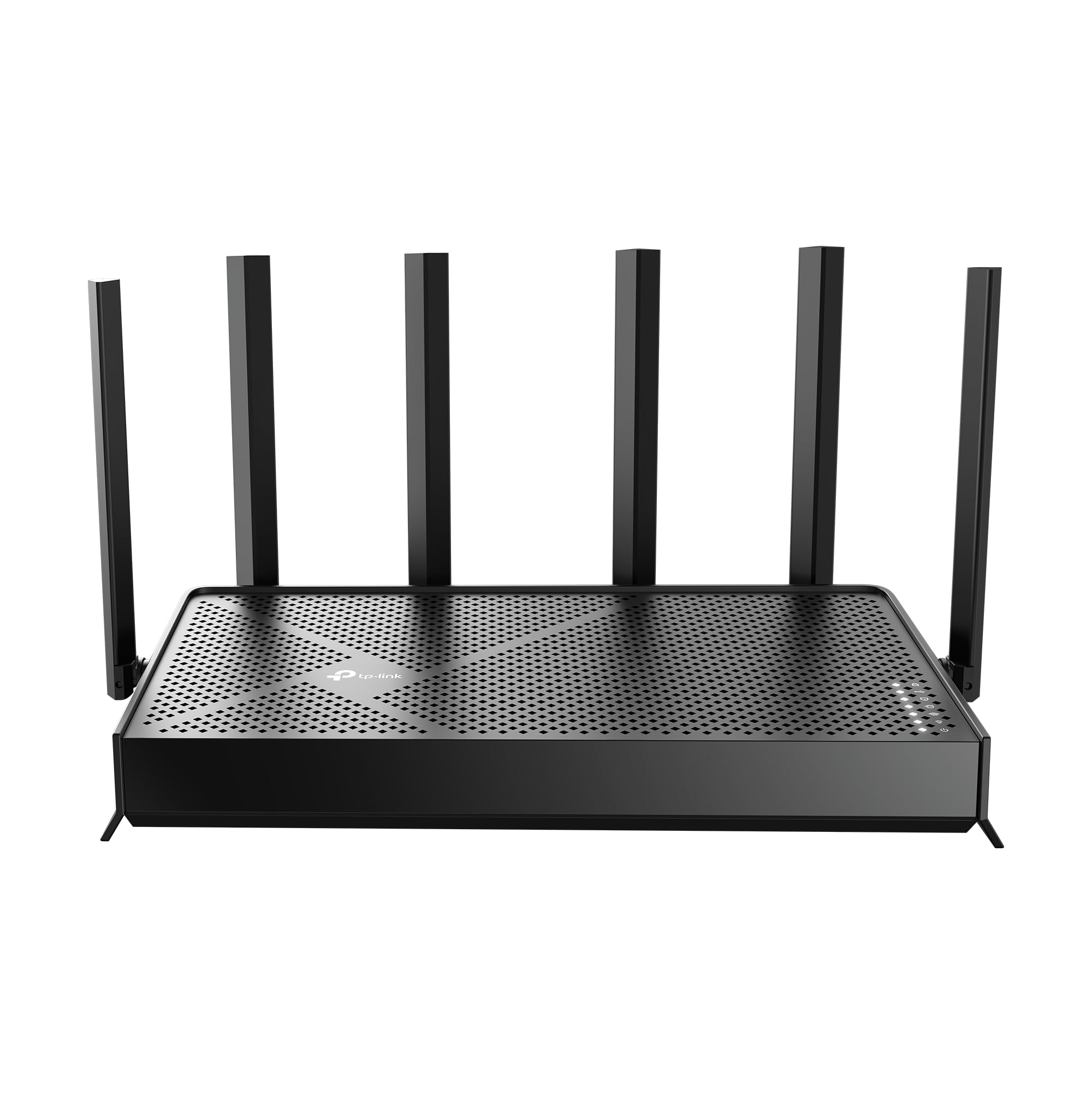
- WiFi 7 features include Multi-Link Operation, Multi-RUs, and 4K-QAM.
- Wired connections include dual 2.5 Gbps ports and three 1 Gbps LAN ports.
- Network settings can be managed through an app or web interface.
Best Gift For: A developer looking to upgrade a home network with compatible WiFi 7 devices.
Sleek Socket Flat Outlet Concealer and Power Strip
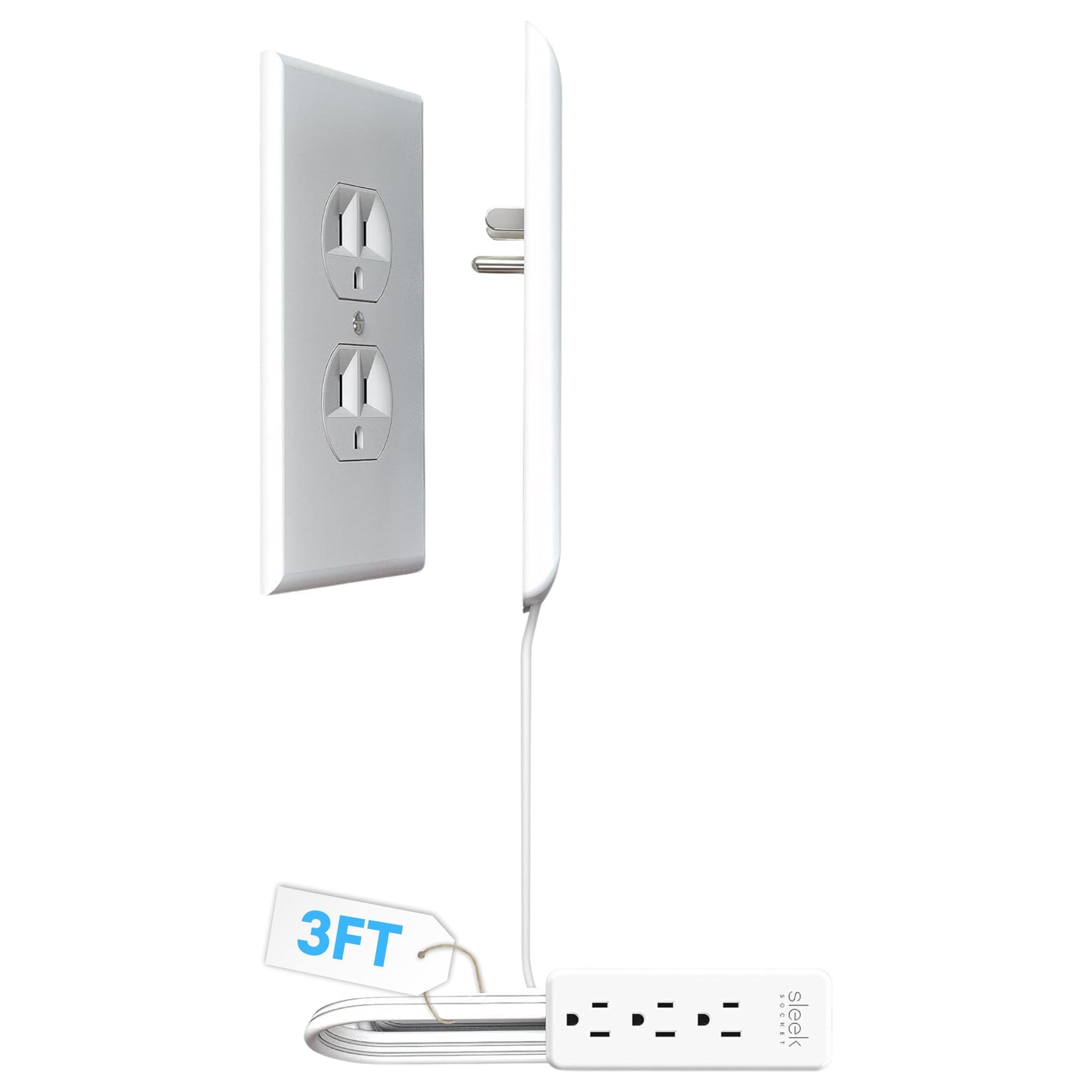
- The flat, 3-foot cord is made for compact spaces and behind furniture.
- The kit includes adhesive clips and removable strips for securing the cord.
- The outlet concealer includes a 3-outlet power strip.
Best Gift For: A developer who wants to tidy cords around a desk near a compatible outlet.
MAONO Wave T5 Mini Wireless Lavalier Microphone

- The microphone supports 48kHz/24-bit recording.
- Four one-tap voice filters include options for everyday recording and storytelling.
- The receiver can charge a phone while connected through its Type-C port.
Best Gift For: A developer who records voiceovers, interviews, or video content.
1. Match gifts for developers to the workday
When choosing gifts for developers, think about where the friction shows up in their day. Someone who spends hours at a desk may appreciate a more adjustable display or laptop position, while a person moving between calls and focused work could use audio gear that supports both listening and conversations.
Consider the recipient’s actual setup before choosing a desk accessory. Monitor mounts depend on screen fit, mounting pattern, and desk construction; laptop stands need to suit the laptop’s size.
For a router or hub, check that the existing devices and connection standards are compatible.
A gift that fits a routine often gets more use than an impressive gadget with no obvious place in the workflow. Notice whether their desk is crowded, whether they record or present, or whether they regularly connect cards, screens, and peripherals.
Those everyday clues can narrow the choices.
2. Balance the budget with usefulness
Set a comfortable budget, then compare the type of benefit each option brings. Smaller accessories can solve a narrow nuisance, such as transferring files or managing cords, while a larger desk or network change may touch more of the recipient’s daily setup.
A higher spend makes sense when the gift replaces a worn item or supports a routine they already have. For a specialized tool, first consider whether the recipient has the compatible equipment and will use the feature often.
Avoid paying for complexity that may stay unused.
Check actual prices before buying, since they can change. Also weigh any supporting purchases: some gifts may need a compatible cable, card, monitor, laptop, or other gear.
A thoughtful budget leaves room for the whole setup to work, rather than focusing only on the main item.
3. Personalize gifts for developers
Personalization can be as simple as choosing for a hobby or work style. A developer who shares demos or teaches online may value recording equipment, while someone who likes a clean, flexible workstation may prefer a desk improvement.
Gaming interests can guide a different choice from a call-heavy schedule.
Think about the space as well as the person. A compact desk, shared home office, or frequent change of work location can make footprint and portability important.
For mounting or connection products, a quick check of the recipient’s devices and workspace can prevent a well-meant gift from becoming a compatibility puzzle.
A short note can explain why you chose the item: perhaps it reminded you of their new home office, side project, or long-running interest. If you are unsure about a technical accessory, consider pairing it with a gift receipt or choosing a less compatibility-dependent option from the list.
4. Make the presentation practical
For a desk-related gift, presentation can include a small card that names the problem you hope it helps solve: a tidier workspace, easier calls, or more flexible laptop positioning. Keep the note warm and specific without implying the recipient’s current setup is inadequate.
If the item needs installation, offer help only if you know the person would welcome it. Some recipients enjoy arranging their own workspace; others may appreciate a hand checking fit and placement.
A simple offer keeps the gift personal while leaving the final setup in their control.
For audio or creator gear, you might pair the present with a note about an upcoming project, recording session, or presentation. For accessories, neat wrapping and a clear explanation of the intended use can make a practical gift feel considered rather than purely utilitarian.
5. Last-minute buying advice
When time is short, choose a product with an obvious use in the recipient’s current routine. Gifts for developers are easier to get right when you can verify the device or workspace they already use; a quick message to a family member or colleague may resolve a key compatibility question.
Before checkout, confirm the exact model and variant, connection type, device compatibility, dimensions, and mounting needs where relevant. For a gift that requires installation or extra components, check whether those are included and whether the recipient already owns what is needed.
Review the delivery estimate for your location and leave time for wrapping or a digital note. If arrival timing is uncertain, a printed card explaining the planned gift can mark the occasion, while you confirm delivery details and current product information before purchase.