The SABRENT DS-U3B4 review centers on a straightforward tool for people who regularly access or back up multiple SATA drives.
Its four bays and offline cloning function can simplify a multi-drive workflow, though its USB 3.0 connection sets the ceiling for computer-based transfers.
SABRENT DS-U3B4 Review Summary
The quick verdict

17,000+ ratings
Read Amazon ReviewsSABRENT DS-U3B4
A practical fit for users who manage several 2.5-inch or 3.5-inch SATA drives and want direct offline cloning in one desktop dock.
- Four bays support up to four 2.5-inch or 3.5-inch SATA hard drives or solid-state drives.
- USB 3.0 connects the dock to a computer at a stated maximum link rate of up to 5Gbps.
- Backward compatibility with USB 2.0 systems allows connection to older host computers.
- Trayless design lets users insert drives directly without trays or tools; the dock should be powered off during setup.

Pros
- Four drive bays can reduce the need to connect compatible drives one at a time.
- Supports both common SATA drive sizes, including HDDs and SSDs.
Consider before buying
- The USB 3.0 interface has a maximum stated rate of 5Gbps, which may be a limitation for buyers prioritizing newer host connectivity.
- Using multiple installed drives requires accommodating the external power adapter and a nearby outlet.
Read the full review summary
The DS-U3B4 combines four trayless bays with a USB 3.0 computer connection and a standalone drive-to-drive cloning mode.
It accepts up to four 2.5-inch or 3.5-inch SATA HDDs or SSDs, so it suits a desk where several drives need occasional access without installing each one in a computer.
Its strongest appeal is flexibility: the dock can support multi-drive access and backups, while offline cloning offers a way to copy between drives without a computer.
Buyers should plan for an external power adapter and remember that the stated 5Gbps is the USB interface's maximum link rate, not a promise of a particular real-world file transfer speed.
The buying factors
SABRENT DS-U3B4 Scorecard
Editorial scores reflect listed features and buyer fit; they are not laboratory measurements or customer ratings.
Drive capacity
Four bays make it useful for managing several compatible drives from one dock.
Drive format flexibility
It supports both 2.5-inch and 3.5-inch SATA HDDs and SSDs.
Offline cloning
Drive-to-drive cloning works without a computer, with LEDs to indicate progress.
Setup simplicity
Trayless insertion and plug-and-play operation reduce setup steps.
Host connection
USB 3.0 offers up to 5Gbps and is backward compatible with USB 2.0, but newer host interfaces are not specified.
Power planning
An included external adapter supports operation with multiple installed drives, though it adds a cable and outlet requirement.
Key Features and Specifications of SABRENT DS-U3B4
- Four bays support up to four 2.5-inch or 3.5-inch SATA hard drives or solid-state drives.
- USB 3.0 connects the dock to a computer at a stated maximum link rate of up to 5Gbps.
- Backward compatibility with USB 2.0 systems allows connection to older host computers.
- Trayless design lets users insert drives directly without trays or tools; the dock should be powered off during setup.
- Offline cloning copies directly from one drive to another without requiring a computer.
- LED indicators display clone progress during operation.
- Plug-and-play operation requires no drivers or software, and an external power adapter is included.
Pros and Cons of SABRENT DS-U3B4
Pros
- Four drive bays can reduce the need to connect compatible drives one at a time.
- Supports both common SATA drive sizes, including HDDs and SSDs.
- Offline cloning can be useful when duplicating a drive without setting up a computer-based process.
- Trayless insertion and no-driver setup keep routine drive access simple.
Consider before buying
- The USB 3.0 interface has a maximum stated rate of 5Gbps, which may be a limitation for buyers prioritizing newer host connectivity.
- Using multiple installed drives requires accommodating the external power adapter and a nearby outlet.
- Drive insertion and removal require the dock to be powered off, so it is not designed for changing drives while running.
Who Should Buy SABRENT DS-U3B4?
Good fit
Consider the DS-U3B4 if you routinely work with several 2.5-inch or 3.5-inch SATA drives and want one dock for access, backups, and direct cloning.
Four bays are its key advantage: the setup can keep multiple drives available without needing a separate enclosure for each.
It is also a reasonable fit for users who value a no-software workflow. The USB connection handles computer-based use, while offline cloning provides a distinct option for drive-to-drive copying.
Check that the source and destination drives match your intended task, and follow the dock's powered-off insertion guidance.
Before choosing it, consider where the dock and its power adapter will sit, and whether USB 3.0 is suitable for your computer and workload.
The stated interface rate is a maximum, so actual transfers depend on the drives and system as well.
Who should skip it
Look elsewhere if your main priority is a newer computer connection with a higher stated interface ceiling; this model is specified for USB 3.0 at up to 5Gbps.
It is a poor match for workflows that require swapping drives while the dock remains powered, since the drive bays should be loaded or changed with the unit off.
How the SABRENT DS-U3B4 Fits a Multi-Drive Workflow
Four bays change the day-to-day setup
A multi-bay dock is most useful when several drives are part of the same routine. With up to four compatible SATA drives supported, the DS-U3B4 can consolidate access and backup tasks around one desktop device.
Consider how often you will use the extra bays: for a single drive used occasionally, the larger capacity may not add much value.
USB 3.0 frames computer-based transfers
The dock connects to a host over USB 3.0 and lists a maximum rate of 5Gbps, while also supporting USB 2.0 systems.
That makes host compatibility broad, but the maximum interface rate should not be treated as a measured transfer result. Drive performance, the host connection, and the files being moved all affect the experience.
Offline cloning is a separate convenience
The cloning function is designed to copy directly between drives without a computer, with LEDs showing progress. That can make a basic duplication task more convenient when a host is not part of the process.
Buyers should confirm that standalone cloning fits their intended drive-copying workflow and avoid assuming the feature provides additional software controls that are not described.
Power and handling matter on the desk
The included external adapter is intended to support operation with multiple installed drives, so placement near an outlet is part of setup.
Trayless bays remove the need for trays or tools, but the dock should be powered off before inserting or changing drives; this is a simple handling step to account for when planning frequent swaps.
Alternatives to SABRENT DS-U3B4
Hard Drive Docking Stations alternative

1,000+ ratings
Read Amazon ReviewsSABRENT EC-CH2B Dual-Bay USB-C SATA Dock
Choose the DS-U3B4 when four bays are more useful than a smaller footprint. The EC-CH2B is a closer fit if two-drive access and a USB-C connection better match your desk and host setup.
- The EC-CH2B supports two 2.5-inch or 3.5-inch SATA HDDs, provides USB Type-C connectivity with transfer speeds up to 5Gbps, and supports offline cloning.
- The DS-U3B4 supports up to four 2.5-inch or 3.5-inch SATA drives and connects to a computer over USB 3.0 at up to 5Gbps.
Hard Drive Docking Stations alternative
17,000+ ratings
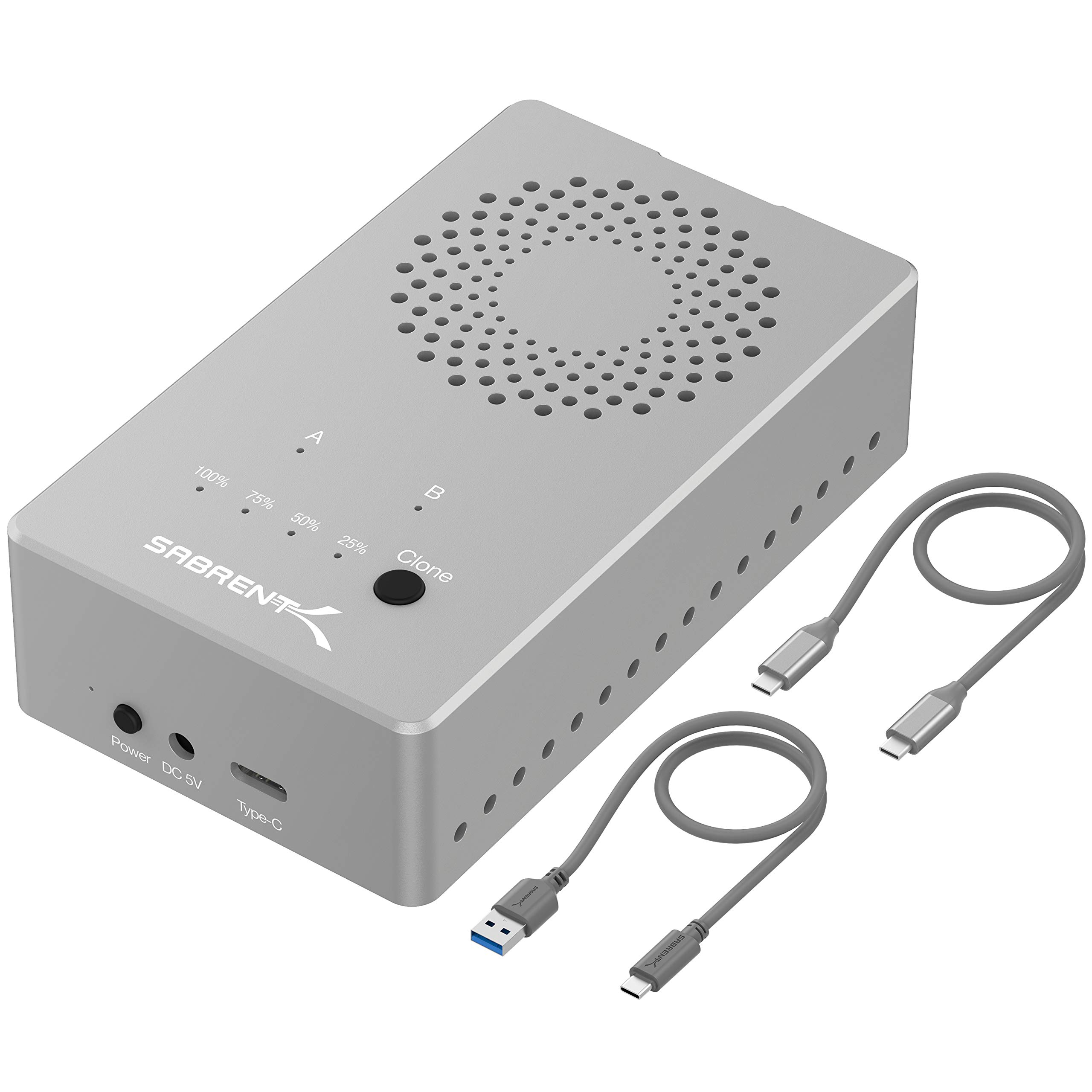
Read Amazon ReviewsSABRENT EC-SSD2 Dual-Bay NVMe M.2 Dock
Choose the DS-U3B4 for multiple standard SATA drives. The EC-SSD2 is more suitable when the workflow specifically uses compatible NVMe M.2 SSDs and benefits from its higher stated USB speed.
- The EC-SSD2 is a tool-free, dual-bay dock for NVMe M.2 SSDs in 2230, 2242, 2260, or 2280 sizes.
- It supports USB 3.2 speeds up to 10Gbps and offline cloning, but is not compatible with regular M.2 SATA or AHCI SSDs.
- The DS-U3B4 is built for up to four 2.5-inch or 3.5-inch SATA HDDs and SSDs and offers USB 3.0 connectivity.
Is SABRENT DS-U3B4 Worth It?
The SABRENT DS-U3B4 is worth considering for users who want a single, simple dock for several SATA HDDs or SSDs.
Its four bays, trayless design, and offline cloning address practical multi-drive needs without requiring drivers or a computer for cloning.
Buy it if four-bay capacity and straightforward handling matter more than a newer host interface.
If you need only one or two drives, or your setup calls for a higher stated connection rate, compare the alternatives against that specific need before deciding.
Your review at a glance
17,000+ ratings
Read Amazon ReviewsSABRENT DS-U3B4
A practical fit for users who manage several 2.5-inch or 3.5-inch SATA drives and want direct offline cloning in one desktop dock.
- Four bays support up to four 2.5-inch or 3.5-inch SATA hard drives or solid-state drives.
- USB 3.0 connects the dock to a computer at a stated maximum link rate of up to 5Gbps.
- Backward compatibility with USB 2.0 systems allows connection to older host computers.
- Trayless design lets users insert drives directly without trays or tools; the dock should be powered off during setup.