The SteelSeries Apex 3 TKL RGB Gaming Keyboard review comes down to a useful mix of compact sizing and quiet, straightforward controls.
Its tenkeyless layout, eight-zone RGB lighting, and spill-resistant design suit players who want a tidier setup without giving up dedicated media keys.
Apex 3 TKL Review Summary
The quick verdict
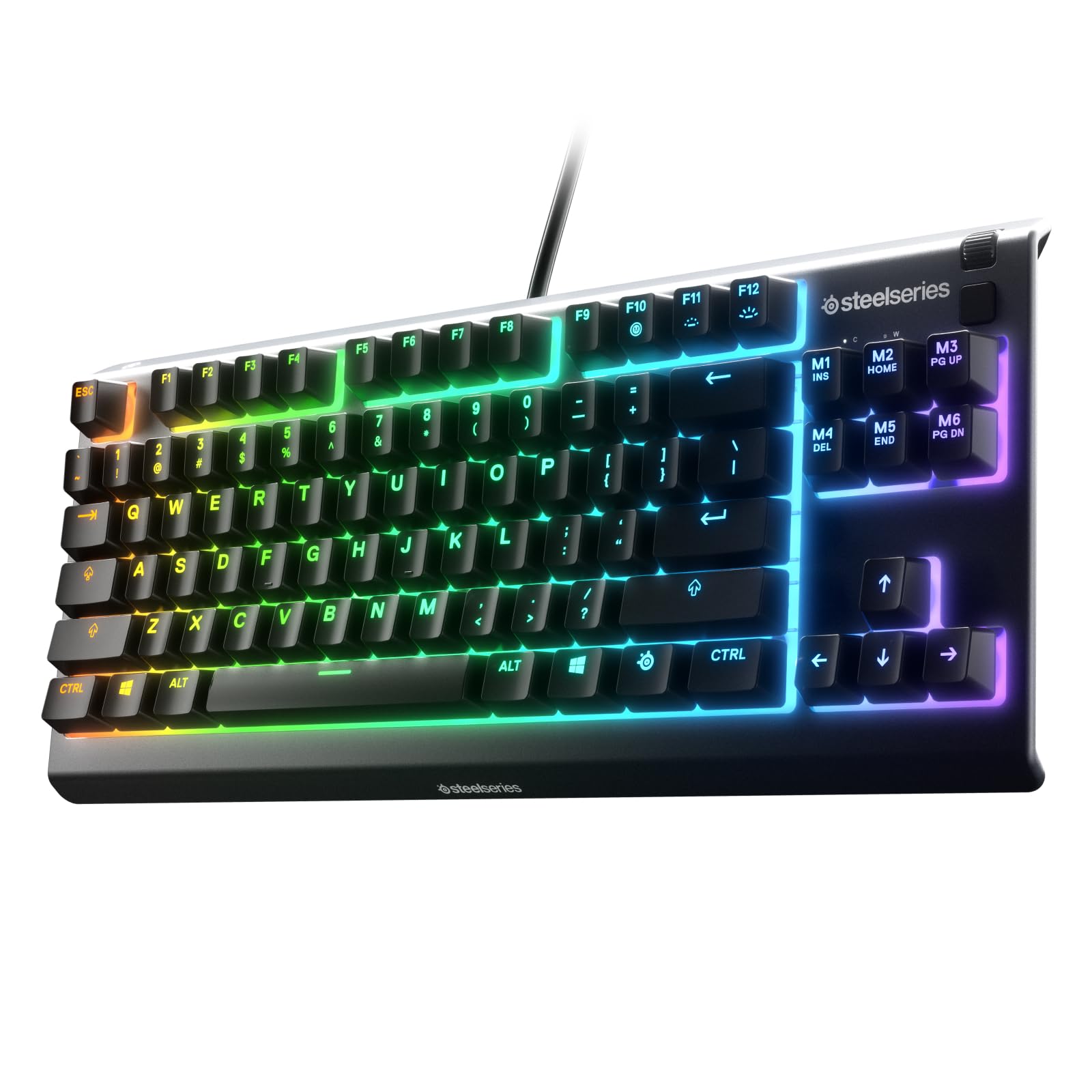
2,000+ ratings
Read Amazon ReviewsSteelSeries Apex 3 TKL
A practical fit for players who want a compact keyboard, quiet switches, customizable lighting, and easy media controls.
- Tenkeyless layout leaves out the number pad, creating a more compact keyboard footprint.
- Whisper-quiet gaming switches use low-friction material and are specified for more than 20 million keypresses.
- Anti-ghosting technology is intended to improve accuracy when multiple keys are pressed together.
- IP32 water and dust resistance provides added protection against limited liquid exposure and dust particles.

Pros
- Compact design gives mouse movement more room and suits smaller desks.
- Quiet switches are a good match for shared rooms or users who prefer subdued key noise.
Consider before buying
- The tenkeyless layout removes the number pad, so frequent data entry may be less convenient.
- Eight-zone lighting divides illumination into zones rather than providing a separately specified setting for every key.
Read the full review summary
The Apex 3 TKL keeps the familiar function row and navigation cluster while removing the number pad, leaving more room to position a mouse and arrange a smaller desk.
Its whisper-quiet switches and anti-ghosting are aimed at gaming and everyday typing, while IP32 water and dust resistance offers some protection against minor spills and particles.
This is a sensible choice for players who prioritize a compact wired keyboard with customizable lighting and convenient volume and media controls.
Its appeal is practical rather than feature-heavy: the supplied details emphasize a quiet, durable-feeling switch design and broad platform compatibility, not advanced adjustable actuation or other high-end control features.
The buying factors
Apex 3 TKL Scorecard
Editorial scores reflect listed features and buyer fit; they are not laboratory measurements or customer ratings.
Compact layout
The tenkeyless format removes the number pad to make mouse placement and desk positioning easier.
Quiet use
Whisper-quiet switches are designed for near-silent use, which can suit shared spaces and late sessions.
Gaming input features
Anti-ghosting supports accurate simultaneous key input, while the switches are designed for more than 20 million keypresses.
Spill and dust resistance
IP32 protection adds a useful layer against liquids and dust, though it is not a reason to expose the keyboard to spills.
Lighting flexibility
Eight-zone PrismSync RGB supports multiple colors and effects, including reactive lighting.
Media convenience
A clickable volume roller and media keys make common playback and brightness adjustments accessible from the keyboard.
Platform range
Compatibility includes Windows, Mac OS X, Xbox Series S and X, PS4, and PS5.
Key Features and Specifications of Apex 3 TKL
- Tenkeyless layout leaves out the number pad, creating a more compact keyboard footprint.
- Whisper-quiet gaming switches use low-friction material and are specified for more than 20 million keypresses.
- Anti-ghosting technology is intended to improve accuracy when multiple keys are pressed together.
- IP32 water and dust resistance provides added protection against limited liquid exposure and dust particles.
- Eight-zone PrismSync RGB illumination offers color choices and effects such as reactive lighting.
- Dedicated media keys and a clickable volume roller provide quick playback and brightness controls.
- Compatible with Windows, Mac OS X, Xbox Series S and X, PS4, and PS5.
Pros and Cons of Apex 3 TKL
Pros
- Compact design gives mouse movement more room and suits smaller desks.
- Quiet switches are a good match for shared rooms or users who prefer subdued key noise.
- Anti-ghosting and a stated 20-million-plus keypress design support regular gaming use.
- Built-in media controls and a clickable volume roller reduce the need to reach for separate controls.
- IP32 resistance offers some practical protection from dust and incidental liquid exposure.
Consider before buying
- The tenkeyless layout removes the number pad, so frequent data entry may be less convenient.
- Eight-zone lighting divides illumination into zones rather than providing a separately specified setting for every key.
- Quiet, low-friction switches prioritize subdued operation; buyers seeking a more configurable or distinctly mechanical-feeling switch design should compare switch options before choosing.
Who Should Buy Apex 3 TKL?
Good fit
Consider the Apex 3 TKL if you want a compact gaming keyboard that leaves more room beside the keyboard for mouse movement.
The quiet switches, anti-ghosting, and dedicated media controls make it a practical option for a desk that serves gaming, streaming, and general computer use.
It also makes sense if you value simple lighting customization and would use quick volume or playback adjustments during a session.
The listed platform support spans PC, Mac, and several console families, so it may fit a mixed-device setup; check your specific connection and control needs before buying.
Who should skip it
Skip this layout if you rely on a number pad for spreadsheets, numeric entry, or other daily work. A full-size keyboard may fit that routine better.
Look elsewhere if your priority is adjustable switch actuation or advanced competitive input tuning. The supplied feature set centers on quiet switches and anti-ghosting, so confirm that it offers the control options you want before committing.
SteelSeries Apex 3 TKL: What the Design Means for Your Setup
A compact layout that still feels familiar
Tenkeyless keyboards retain the main typing area and navigation keys while removing the number pad.
That tradeoff can free desk space for a mouse, but users who enter numbers often should weigh the convenience they lose against the room they gain.
Quiet switches for shared spaces
The low-friction switches are designed for near-silent operation and a long keypress life.
That emphasis makes the board appealing where keyboard noise matters; buyers who prefer a more pronounced tactile or adjustable response should check the switch feel against their own preferences.
Protection and everyday handling
IP32 water and dust resistance is a useful extra for a keyboard used around drinks or in a dusty area.
It suggests added resilience against limited exposure, not immunity to spills, so keeping liquids away remains the prudent choice.
Lighting and controls within reach
Eight-zone RGB lighting offers a way to personalize the board with color and effects, while the roller and media keys handle routine adjustments directly.
These are convenience features for a gaming desk; consider whether zone-based lighting and onboard controls match how you manage your setup.
Alternatives to Apex 3 TKL
Computer Keyboards alternative
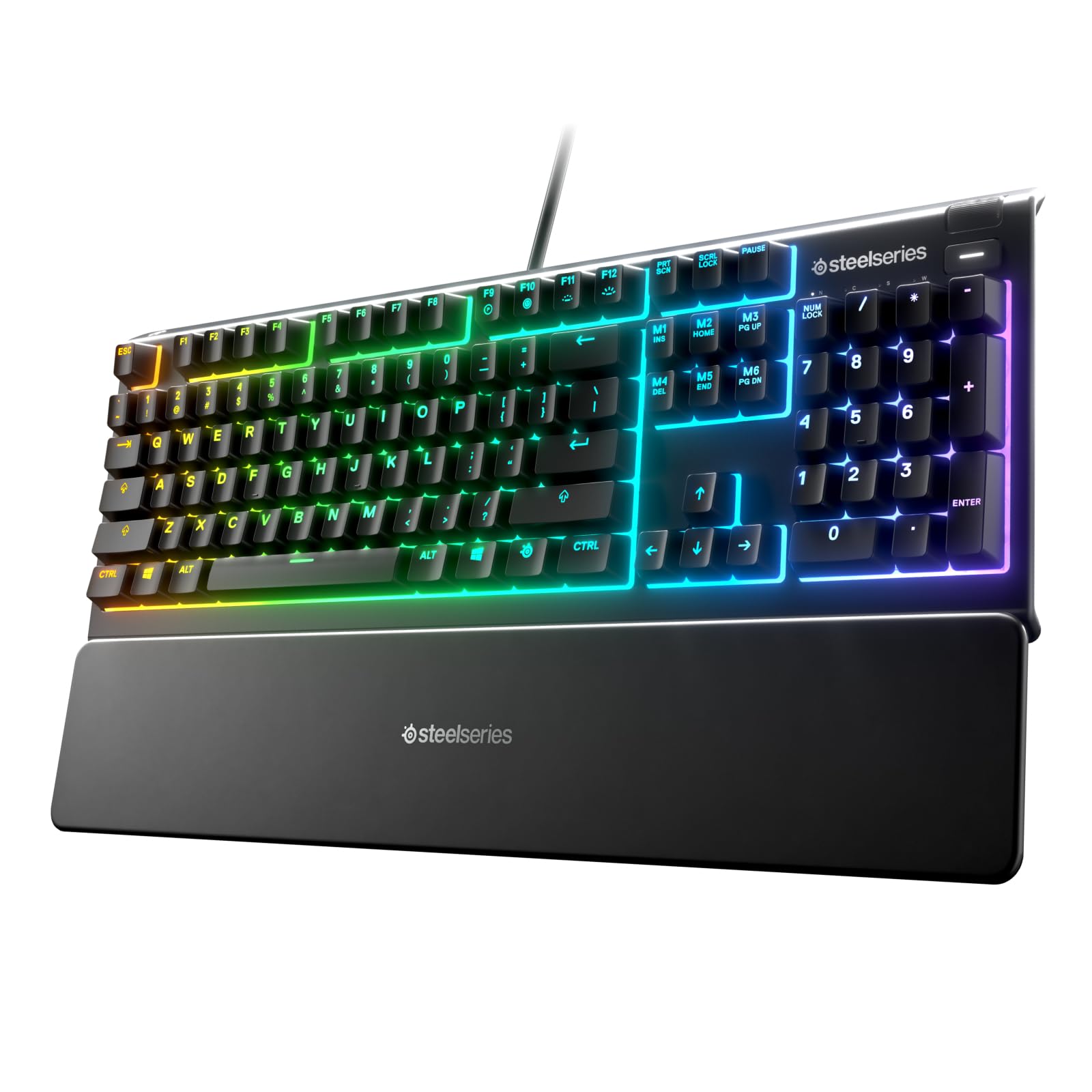
8,000+ ratings
Read Amazon ReviewsSteelSeries Apex 3 RGB Gaming Keyboard
Choose the Apex 3 if you need the number pad or want the included magnetic wrist rest and can accommodate a larger layout.
The Apex 3 TKL better suits a compact desk and buyers who prefer more mouse room.
- The full-size Apex 3 includes a number pad, ten-zone RGB illumination, quiet switches, dedicated media controls, and a magnetic wrist rest.
- The Apex 3 TKL uses a tenkeyless layout, eight-zone RGB lighting, quiet switches, and dedicated media controls.
Computer Keyboards alternative
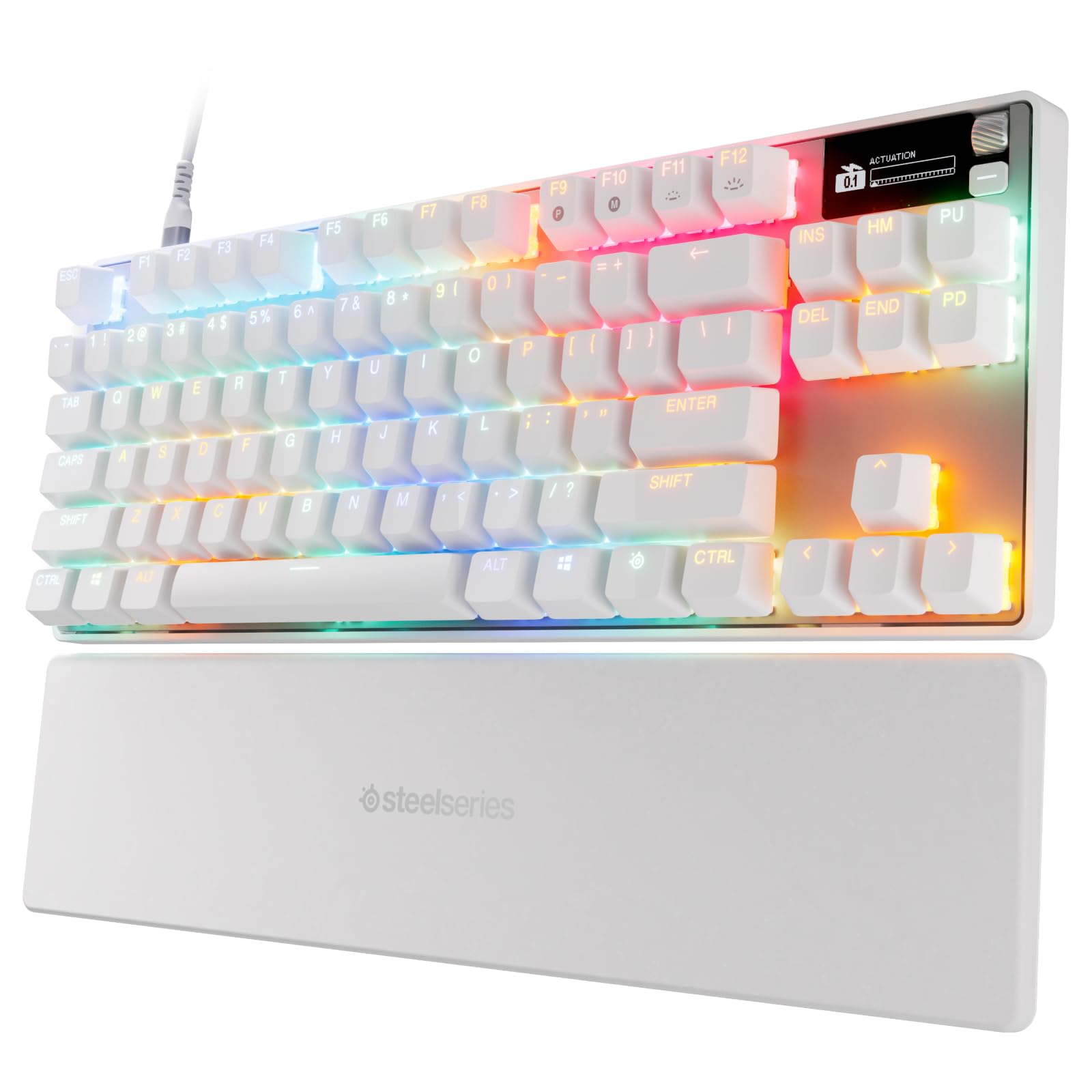
500+ ratings
Read Amazon ReviewsSteelSeries Apex Pro TKL Gen 3
Choose the Apex Pro TKL Gen 3 if adjustable actuation and rapid input features are central to your gaming, and its broader control set fits your budget.
The Apex 3 TKL is the simpler fit if quiet operation and everyday gaming features matter more than switch tuning.
- The Apex Pro TKL Gen 3 has analog magnetic switches with 40 actuation levels from 0.1 mm to 4.0 mm, Rapid Trigger features, an OLED display, RGB lighting, PBT keycaps, and USB-C.
- The Apex 3 TKL emphasizes quiet switches, anti-ghosting, and eight-zone RGB lighting in a tenkeyless layout.
Is Apex 3 TKL Worth It?
The SteelSeries Apex 3 TKL is worth considering if you want a compact, quiet gaming keyboard with customizable RGB, media controls, and some spill and dust resistance.
Its feature set focuses on straightforward comfort and convenience, rather than advanced switch adjustment.
Before buying, make sure the missing number pad suits your work and that the quiet switch feel matches your preference.
For the right desk and routine, the Apex 3 TKL offers a balanced compact design; buyers needing numeric entry or adjustable actuation should choose a layout or feature set built around those needs.
Your review at a glance
2,000+ ratings
Read Amazon ReviewsSteelSeries Apex 3 TKL
A practical fit for players who want a compact keyboard, quiet switches, customizable lighting, and easy media controls.
- Tenkeyless layout leaves out the number pad, creating a more compact keyboard footprint.
- Whisper-quiet gaming switches use low-friction material and are specified for more than 20 million keypresses.
- Anti-ghosting technology is intended to improve accuracy when multiple keys are pressed together.
- IP32 water and dust resistance provides added protection against limited liquid exposure and dust particles.