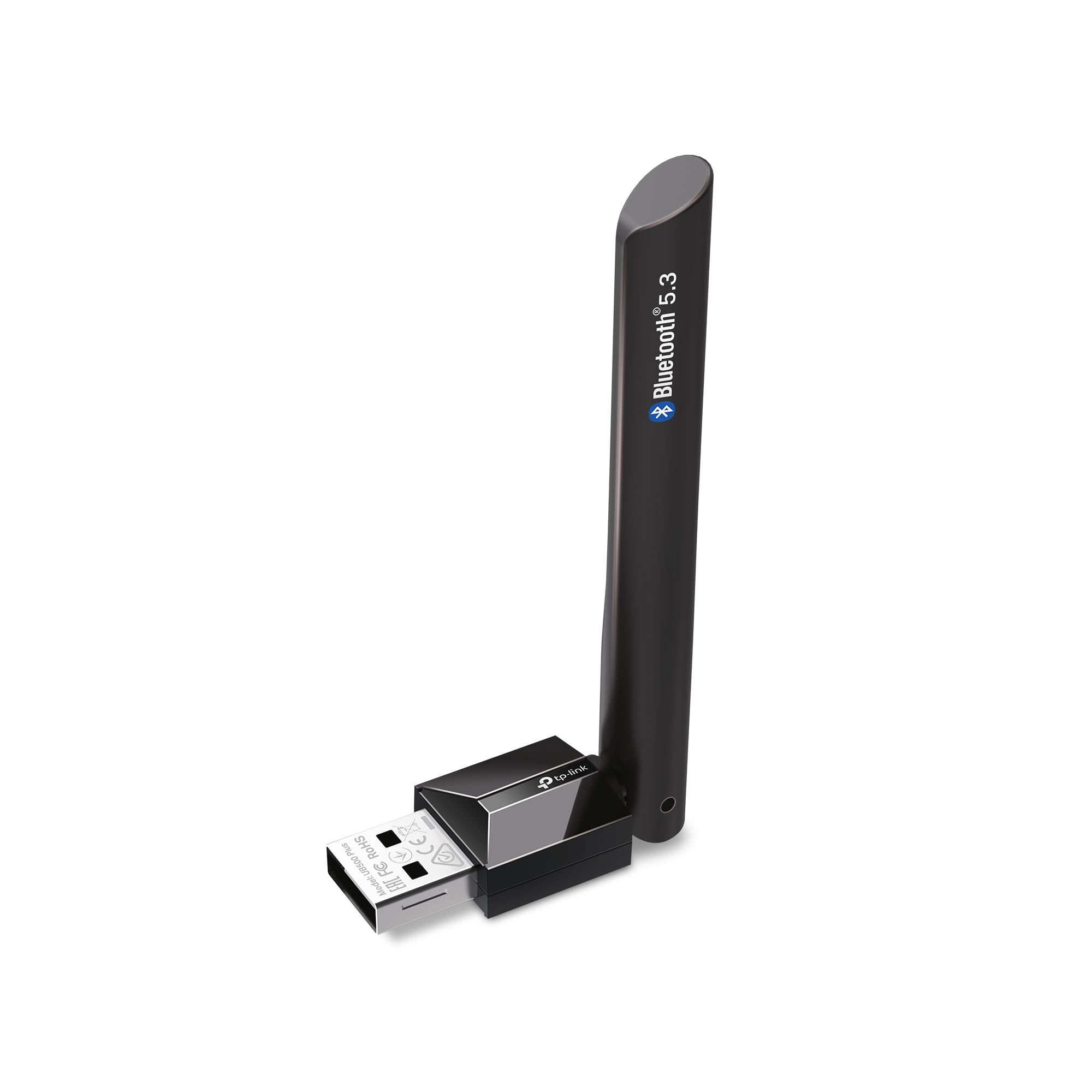
The TP-Link USB Bluetooth Adapter review centers on a simple upgrade for Windows desktops and laptops that lack Bluetooth: the UB500 Plus adds Bluetooth 5.3 through USB and includes an adjustable antenna.
Its broad backward compatibility and convenient setup make it appealing for everyday peripherals, while Windows version and placement are worth considering before buying.
TP-Link UB500 Plus Review Summary
The quick verdict
1,000+ ratings
Read Amazon ReviewsTP-Link UB500 Plus
A practical fit for Windows PC owners who want Bluetooth 5.3, an adjustable antenna, and support for older Bluetooth devices.
- Bluetooth 5.3 with backward compatibility for Bluetooth versions 4.2, 4.0, 3.0, 2.1, 2.0, and 1.1.
- USB adapter designed to add Bluetooth capability to a non-Bluetooth desktop or laptop.
- Adjustable multidirectional antenna that can be rotated to different positions.
- Enhanced Data Rate and Bluetooth Low Energy support.

Pros
- Bluetooth 5.3 support is paired with compatibility for several older Bluetooth versions.
- The adjustable antenna gives more positioning flexibility than a fixed-orientation design.
Consider before buying
- Windows 7 requires a separate driver download, adding a setup step.
- Plug-and-play setup depends on an internet connection.
Read the full review summary
The UB500 Plus combines Bluetooth 5.3 with support for a wide range of earlier Bluetooth versions, so it can serve a PC connecting newer or older wireless devices.
Enhanced Data Rate and Bluetooth Low Energy are included, and the adjustable multidirectional antenna gives users a way to orient the adapter for their setup.
It is best suited to Windows 8.1, 10, or 11 users who want to add Bluetooth to a desktop or laptop, with plug-and-play setup available when the computer is connected to the internet.
Windows 7 is supported with a separately obtained driver, so that system involves an extra setup step.
The buying factors
TP-Link UB500 Plus Scorecard
Editorial scores reflect listed features and buyer fit; they are not laboratory measurements or customer ratings.
Bluetooth version range
Bluetooth 5.3 support and compatibility back to version 1.1 offer flexibility across newer and older devices.
Antenna flexibility
The multidirectional antenna can be rotated and adjusted to suit different PC and desk positions.
Setup convenience
Plug-and-play setup is available for Windows 8.1, 10, and 11 when the PC is connected to the internet.
Older Windows support
Windows 7 is supported, though it requires a driver download and installation.
Power-conscious features
Bluetooth Low Energy is included alongside Enhanced Data Rate for supported connections.
Clarity on fit
The intended use is clear for Windows PCs, but buyers should confirm their operating system and peripheral needs.
Key Features and Specifications of TP-Link UB500 Plus
- Bluetooth 5.3 with backward compatibility for Bluetooth versions 4.2, 4.0, 3.0, 2.1, 2.0, and 1.1.
- USB adapter designed to add Bluetooth capability to a non-Bluetooth desktop or laptop.
- Adjustable multidirectional antenna that can be rotated to different positions.
- Enhanced Data Rate and Bluetooth Low Energy support.
- Plug-and-play setup for Windows 8.1, 10, and 11 when the computer has an internet connection.
- Windows 7 support requires a driver download.
Pros and Cons of TP-Link UB500 Plus
Pros
- Bluetooth 5.3 support is paired with compatibility for several older Bluetooth versions.
- The adjustable antenna gives more positioning flexibility than a fixed-orientation design.
- Windows 8.1, 10, and 11 users can use plug-and-play setup with an internet connection.
- Bluetooth Low Energy and Enhanced Data Rate cover distinct connection needs.
Consider before buying
- Windows 7 requires a separate driver download, adding a setup step.
- Plug-and-play setup depends on an internet connection.
- The stated speed and coverage improvements are comparisons with Bluetooth 4.0; actual results will depend on the connected devices and surroundings.
Who Should Buy TP-Link UB500 Plus?
Good fit
Consider the UB500 Plus if your Windows desktop or laptop lacks Bluetooth and you want a USB adapter with newer-version support as well as compatibility with older Bluetooth devices.
The adjustable antenna is useful when the PC’s USB port position makes orientation a consideration.
It is a stronger fit for users on Windows 8.1, 10, or 11 who can complete setup while connected to the internet. If the computer runs Windows 7, factor in the driver download before choosing it.
Who should skip it
Skip it if you need an adapter for an operating system outside the listed Windows versions; the supplied product details only identify support for Windows 7, 8.1, 10, and 11.
Look elsewhere if your setup depends on a specific feature or peripheral compatibility that is not established here. Check the adapter’s compatibility with your exact computer and Bluetooth devices before buying.
What the TP-Link UB500 Plus Means for a PC Setup
Version compatibility for mixed device ages
Bluetooth 5.3 support alongside compatibility reaching back to version 1.1 gives the adapter a broad stated range. That can be useful in a household or workstation where peripherals were bought at different times.
Compatibility with a Bluetooth version alone does not establish support for every device or use case, so buyers should confirm any especially important peripheral pairing.
Antenna adjustment and placement
The multidirectional antenna can be rotated and repositioned, giving the user some control over its orientation. This is a practical design consideration when a desktop sits under a desk or its USB port faces an awkward direction.
The product details describe the ability to adjust the antenna, but do not provide a measured connection range for a particular room or placement.
Setup depends on the Windows version
For Windows 8.1, 10, and 11, plug-and-play setup is available provided the computer is connected to the internet. Windows 7 is also supported, but requires a driver download.
Checking the operating system in advance helps set realistic expectations for the first setup session.
What the performance claims can tell buyers
The product information describes up to twice the speed and four times the coverage compared with Bluetooth 4.0, and it includes Enhanced Data Rate and Bluetooth Low Energy.
Those comparisons help explain the intended upgrade, but they are maximum claims rather than a promise of a particular result in every setup. The paired device and surrounding environment can affect the experience.
Alternatives to TP-Link UB500 Plus
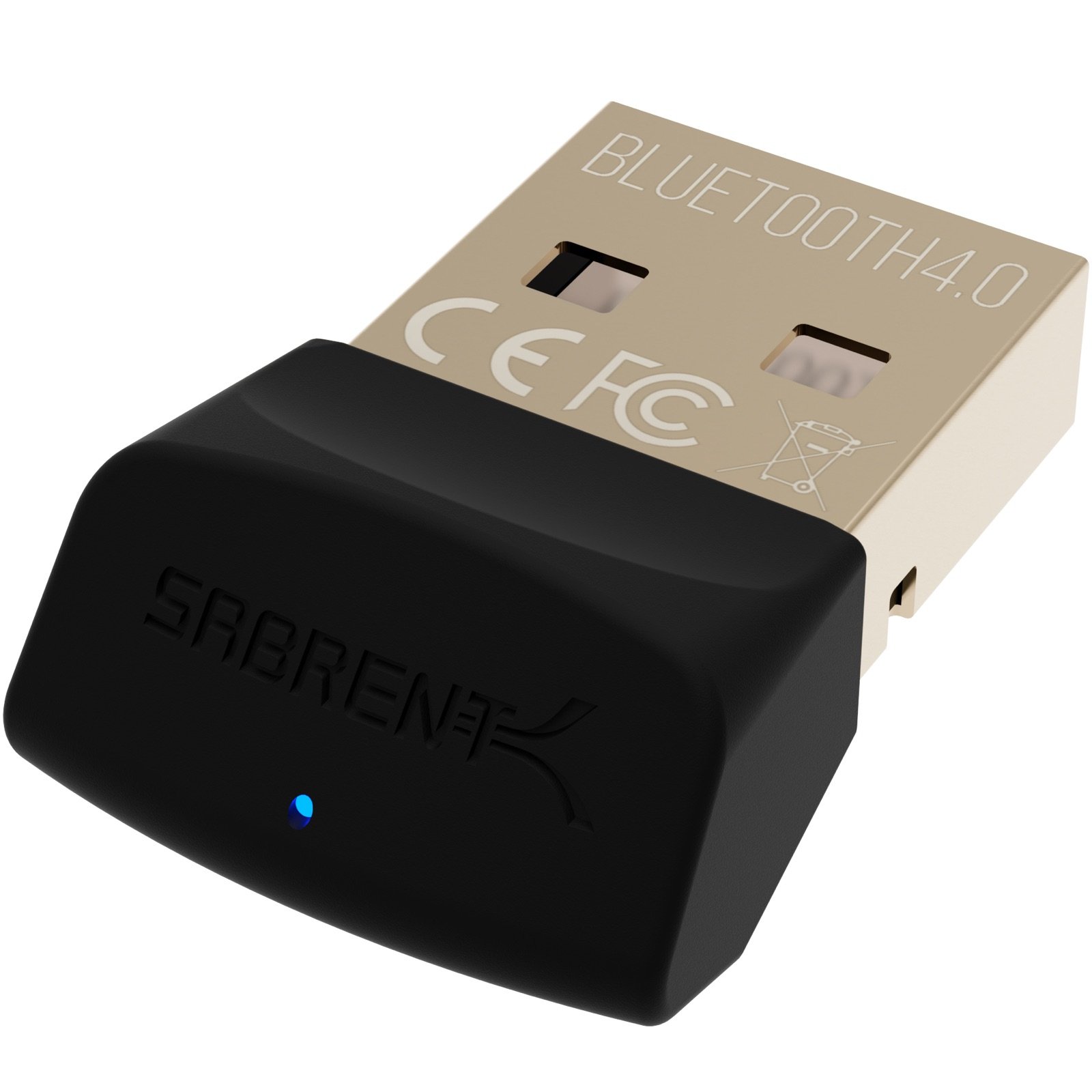
One alternative is included because it addresses the same basic need of adding Bluetooth to a PC, with a different Bluetooth version and listed use cases.
Bluetooth Network Adapters alternative
3,000+ ratings
Read Amazon ReviewsSABRENT BT-UB40 USB Bluetooth 4.0 Adapter
Choose the TP-Link if Bluetooth 5.3 support, an adjustable antenna, and the stated Windows setup options fit your needs.
The SABRENT is a simpler alternative if its Bluetooth 4.0 specification and micro-adapter form factor suit your particular setup; check operating-system compatibility for your computer before choosing it.
- The SABRENT BT-UB40 is a Bluetooth 4.0 Class 2 micro adapter with Low Energy support.
- Its listed uses include connecting a Bluetooth headset to a PC and linking a laptop with a cellular phone.
- The TP-Link UB500 Plus supports Bluetooth 5.3, includes an adjustable antenna, and lists compatibility with Windows 7, 8.1, 10, and 11.
Is TP-Link UB500 Plus Worth It?
The TP-Link UB500 Plus is worth considering for Windows PC owners who want to add Bluetooth through USB, especially if Bluetooth 5.3 support, broad backward compatibility, and an adjustable antenna match their setup.
Windows 8.1, 10, and 11 users have the simpler plug-and-play path when internet is available.
Before buying, confirm your Windows version and the needs of the peripherals you plan to connect.
Windows 7 requires a driver download, and the stated speed and coverage comparisons should be treated as up-to claims rather than guaranteed outcomes in every environment.
Your review at a glance
1,000+ ratings
Read Amazon ReviewsTP-Link UB500 Plus
A practical fit for Windows PC owners who want Bluetooth 5.3, an adjustable antenna, and support for older Bluetooth devices.
- Bluetooth 5.3 with backward compatibility for Bluetooth versions 4.2, 4.0, 3.0, 2.1, 2.0, and 1.1.
- USB adapter designed to add Bluetooth capability to a non-Bluetooth desktop or laptop.
- Adjustable multidirectional antenna that can be rotated to different positions.
- Enhanced Data Rate and Bluetooth Low Energy support.