The VIVO Manual Height Adjustable Standing Desk Riser review is for anyone looking to add a standing option to an existing desk without replacing the whole workstation.
Its two-tier layout, upward lift, and compact footprint suit users who want to switch positions while keeping their keyboard and screens together.
VIVO Desk Riser Review Summary
The quick verdict
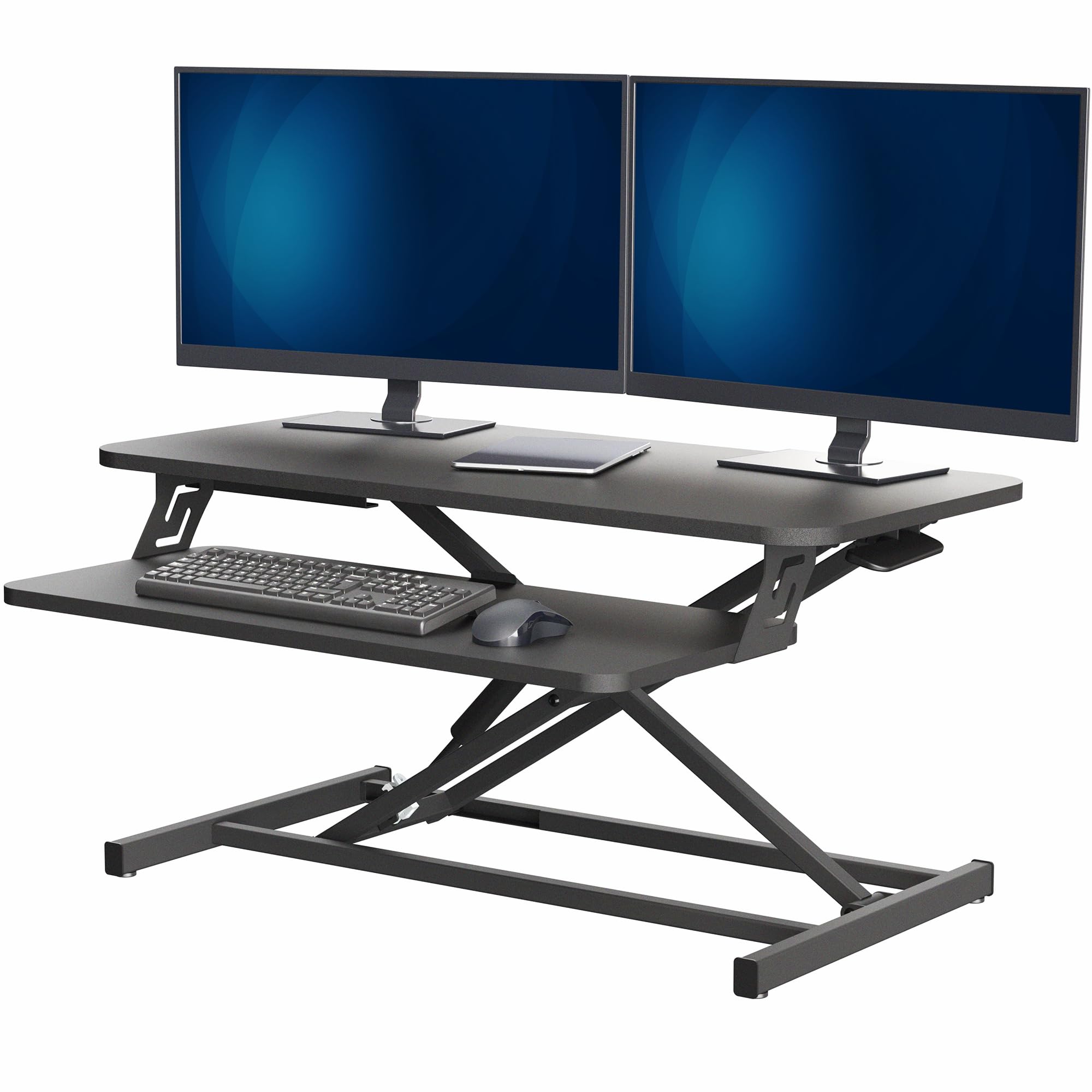
2,000+ ratings
Read Amazon ReviewsVIVO Manual Height Adjustable Standing Desk Riser
A compact sit-to-stand riser for desk workers who want a two-tier workstation and manual height changes without replacing their desk.
- Work surface measures 31.5 by 15.8 inches, with a two-tier layout and separate keyboard tray.
- Manual pneumatic spring lift adjusts from 4.9 to 19.7 inches and uses a touch height-locking mechanism.
- The keyboard tray raises in sync with the top surface.
- Steel frame supports up to 26 pounds on the desktop.

Pros
- Adds an adjustable standing option while using an existing desk.
- The synced keyboard tray keeps the keyboard and desktop moving together.
Consider before buying
- The desktop's 26-pound limit requires checking the combined weight of monitors, laptop, and other equipment.
- The 31.5-by-15.8-inch platform takes up a defined area on the desk, so measure the available space first.
Read the full review summary
This riser places a 31.5-by-15.8-inch work surface on top of an existing desk, with a keyboard tray that moves in sync.
Its pneumatic spring lift and touch height lock raise the platform from 4.9 to 19.7 inches, giving users a wide range for dialing in a sitting or standing position.
A straight-up lift path can help the setup retain its position over the desk as it moves.
The 26-pound desktop capacity and steel frame are aimed at ordinary monitor and laptop arrangements, including dual-monitor setups within the load limit.
Assembly is limited to attaching the tray, and the riser is designed to arrive mostly ready to use. Before buying, measure the desktop area and add together the weight of everything that will sit on the raised surface.
The buying factors
VIVO Desk Riser Scorecard
Editorial scores reflect listed features and buyer fit; they are not laboratory measurements or customer ratings.
Height adjustment range
The 4.9-to-19.7-inch range allows substantial movement between positions, with a manual lift mechanism.
Work surface space
The 31.5-by-15.8-inch surface offers room for a compact screen setup, though the footprint should be checked against the existing desk.
Keyboard ergonomics
A separate keyboard tray rises in sync with the desktop, keeping typing equipment at a related height as the platform moves.
Load capacity
The 26-pound desktop limit accommodates many monitor and laptop combinations, but leaves buyers responsible for checking their complete equipment load.
Setup effort
The riser arrives nearly ready to use; assembly involves attaching the keyboard tray.
Desk integration
Its tabletop format can add sit-to-stand functionality to an existing desk, while taking up a fixed 31.5-by-15.8-inch area.
Key Features and Specifications of VIVO Desk Riser
- Work surface measures 31.5 by 15.8 inches, with a two-tier layout and separate keyboard tray.
- Manual pneumatic spring lift adjusts from 4.9 to 19.7 inches and uses a touch height-locking mechanism.
- The keyboard tray raises in sync with the top surface.
- Steel frame supports up to 26 pounds on the desktop.
- The lifting design moves straight upward.
- Minimal assembly: place the riser on an existing desk and attach the tray.
- The manufacturer warranty is listed as three years.
Pros and Cons of VIVO Desk Riser
Pros
- Adds an adjustable standing option while using an existing desk.
- The synced keyboard tray keeps the keyboard and desktop moving together.
- Broad adjustment range supports varied sitting and standing positions.
- Mostly ready to use after attaching the tray.
Consider before buying
- The desktop's 26-pound limit requires checking the combined weight of monitors, laptop, and other equipment.
- The 31.5-by-15.8-inch platform takes up a defined area on the desk, so measure the available space first.
- Height changes are manual, which may be less convenient for people who want powered adjustment or frequent preset changes.
Who Should Buy VIVO Desk Riser?
Good fit
Consider this riser if you already have a desk that works for you and want to alternate between sitting and standing without changing the full desk.
The separate tray is useful when you want the keyboard to rise alongside the main surface, and the straight-up movement is a practical design choice for keeping the raised setup over its base area.
It is a reasonable fit for a laptop, monitor, or modest dual-monitor arrangement when the total equipment weight stays within 26 pounds.
Before ordering, measure both the available desk area and the height you need at your standing position; also account for the weight of accessories placed on the riser.
The near-ready setup may appeal to people who do not want a lengthy assembly project. Attach the keyboard tray, place the unit on a stable existing desk, and organize the workstation around the surface dimensions.
Who should skip it
Look elsewhere if you need a full-size standing desk with a much larger work area, or if your equipment arrangement exceeds the 26-pound desktop capacity.
A manual spring lift may not suit buyers who want electric controls or rely on saving and recalling preferred heights. Consider how often you expect to change positions during a typical workday.
How the VIVO Desk Riser Fits an Existing Workstation
A practical route to sitting and standing
The riser is intended to sit on an existing desk, making it a way to add height adjustment without replacing the desk itself.
Its 4.9-to-19.7-inch range provides room to move the work surface substantially, although the right setting depends on the desk height and the user's posture.
Buyers should check the usable range against their own seated and standing positions before committing.
Two tiers keep typing equipment in the setup
The upper desktop and lower keyboard tray move together, so the keyboard does not stay behind at the original desk level when the main surface rises.
That arrangement keeps the primary input area connected to the screen platform during adjustment.
The 31.5-by-15.8-inch top is best planned as a complete workstation footprint: include the screen bases, laptop, and any other items that need to move with it.
Match the load and desk footprint
The steel frame is designed for up to 26 pounds on the desktop.
Add the weights of the devices and accessories you plan to lift, then compare that total with the stated limit; leave room for any future equipment changes.
The riser's own footprint is also important, since it occupies a substantial rectangle on the underlying desk even when lowered.
Manual adjustment and setup considerations
The pneumatic spring lift and touch lock let the user adjust height without a powered desk frame.
The straight-up motion is designed to preserve the riser's position over the desk as it rises, while minimal assembly means attaching the tray before arranging the workstation.
This approach keeps setup simple, but buyers who change heights very often should consider whether manual operation fits their routine.
Alternatives to VIVO Desk Riser
Computer Monitor Stands alternative
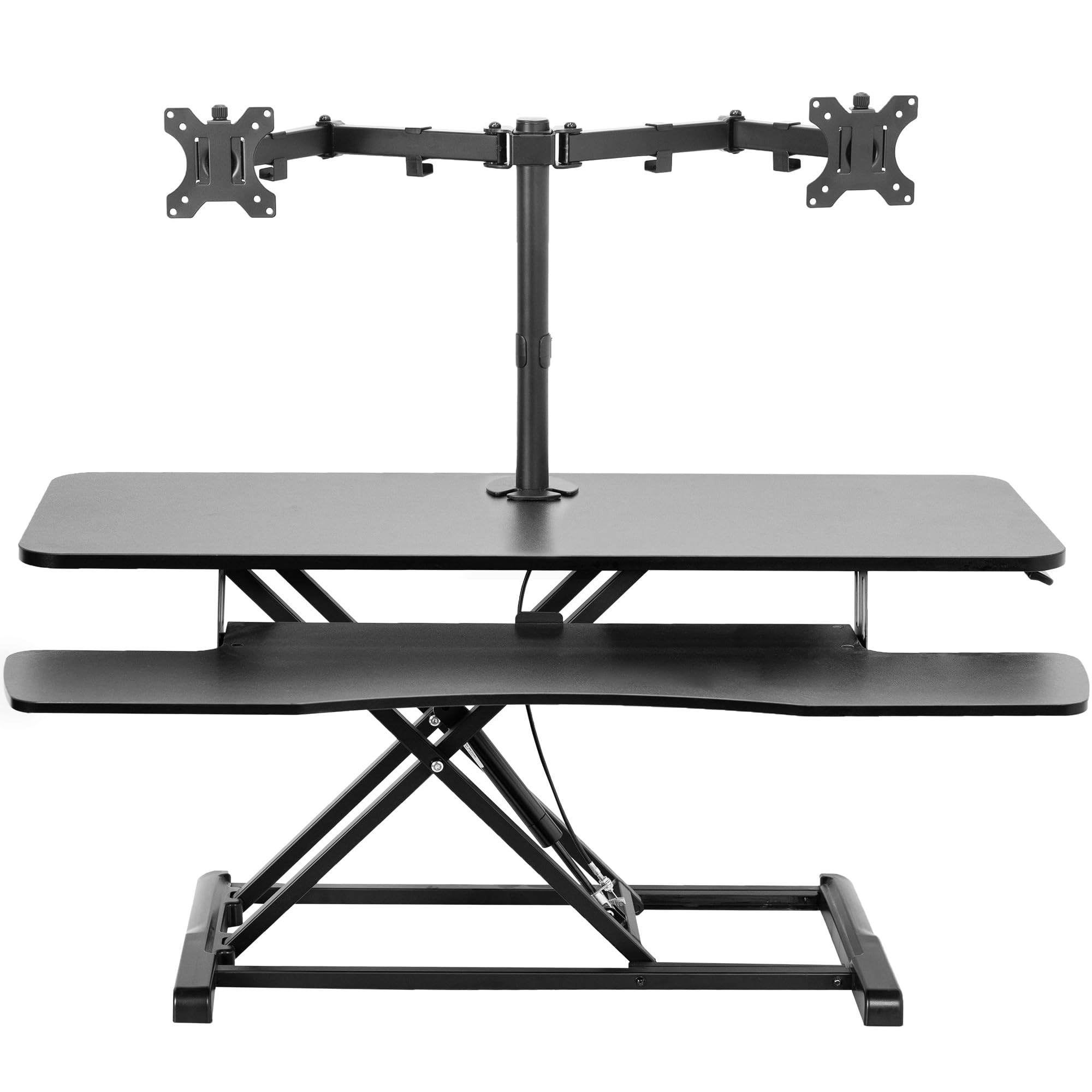
600+ ratings
Read Amazon ReviewsVIVO Standing Desk Converter with Dual Monitor Stand, 42-inch Top
Choose the 42-inch converter if you need the wider surface and want an included dual monitor mount, and confirm the VESA pattern and screen weights fit.
The reviewed riser is the more compact choice for buyers who do not need that integrated mount and prefer its 26-pound desktop capacity.
- This VIVO converter has a 42-by-15.7-inch top, a 42-by-11.8-inch keyboard tray, and an integrated dual monitor mount for two screens from 13 to 30 inches, up to 17.6 pounds each.
- Its adjustment range is 4.5 to 20 inches.
- The VIVO Manual Height Adjustable Standing Desk Riser provides a 31.5-by-15.8-inch desktop, a synced keyboard tray, and a 26-pound desktop capacity.
Computer Monitor Stands alternative
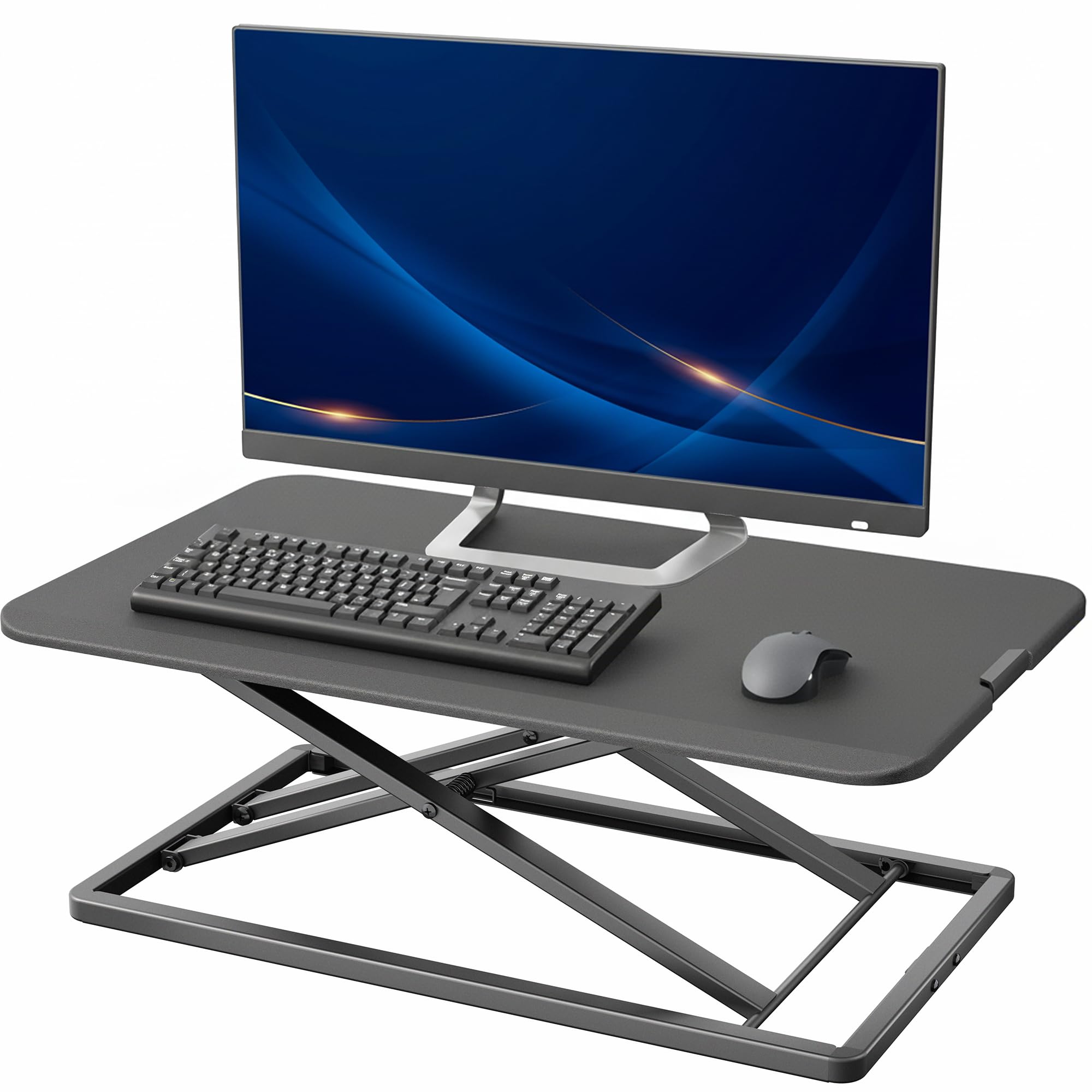
700+ ratings
Read Amazon ReviewsVIVO Manual Height Adjustable Standing Desk Converter, 29-inch Top
The 29-inch model may suit a tighter height range or someone who prefers a single surface and fully preassembled setup.
Choose the reviewed riser if the synced keyboard tray, larger stated load limit, or higher maximum position better matches your arrangement.
- This 29-inch VIVO converter has a single 29.3-by-17.8-inch surface, supports up to 22 pounds, and adjusts from 1.8 to 16.2 inches. It arrives preassembled.
- The VIVO Manual Height Adjustable Standing Desk Riser combines a two-tier surface with a keyboard tray and adjusts from 4.9 to 19.7 inches.
Is VIVO Desk Riser Worth It?
The VIVO Manual Height Adjustable Standing Desk Riser is worth considering for desk workers who want a manual sit-to-stand option while keeping an existing desk.
Its synced keyboard tray, wide adjustment range, and minimal assembly make it a practical format for a compact workstation.
Check the platform dimensions and total equipment weight before buying, and make sure manual adjustment suits how you work. If those constraints fit, this riser offers a straightforward way to add standing positions without replacing the desk.
Your review at a glance
2,000+ ratings
Read Amazon ReviewsVIVO Manual Height Adjustable Standing Desk Riser
A compact sit-to-stand riser for desk workers who want a two-tier workstation and manual height changes without replacing their desk.
- Work surface measures 31.5 by 15.8 inches, with a two-tier layout and separate keyboard tray.
- Manual pneumatic spring lift adjusts from 4.9 to 19.7 inches and uses a touch height-locking mechanism.
- The keyboard tray raises in sync with the top surface.
- Steel frame supports up to 26 pounds on the desktop.