The best USB microphones make it easier to record clear voice, stream, or host a podcast without a complicated setup. Choose based on your recording space, whether you need a desk stand or boom arm, and whether USB-only simplicity or USB/XLR flexibility matters more.
Quick Top Products
Samson Q2U

- Dynamic handheld design suits voice recording and interviews.
- Offers USB-C and XLR connections.
- Includes a desktop tripod, windscreen, and both cables.
Best For: Podcasters who want a handheld dynamic mic and both USB-C and XLR connections.

JLab Talk
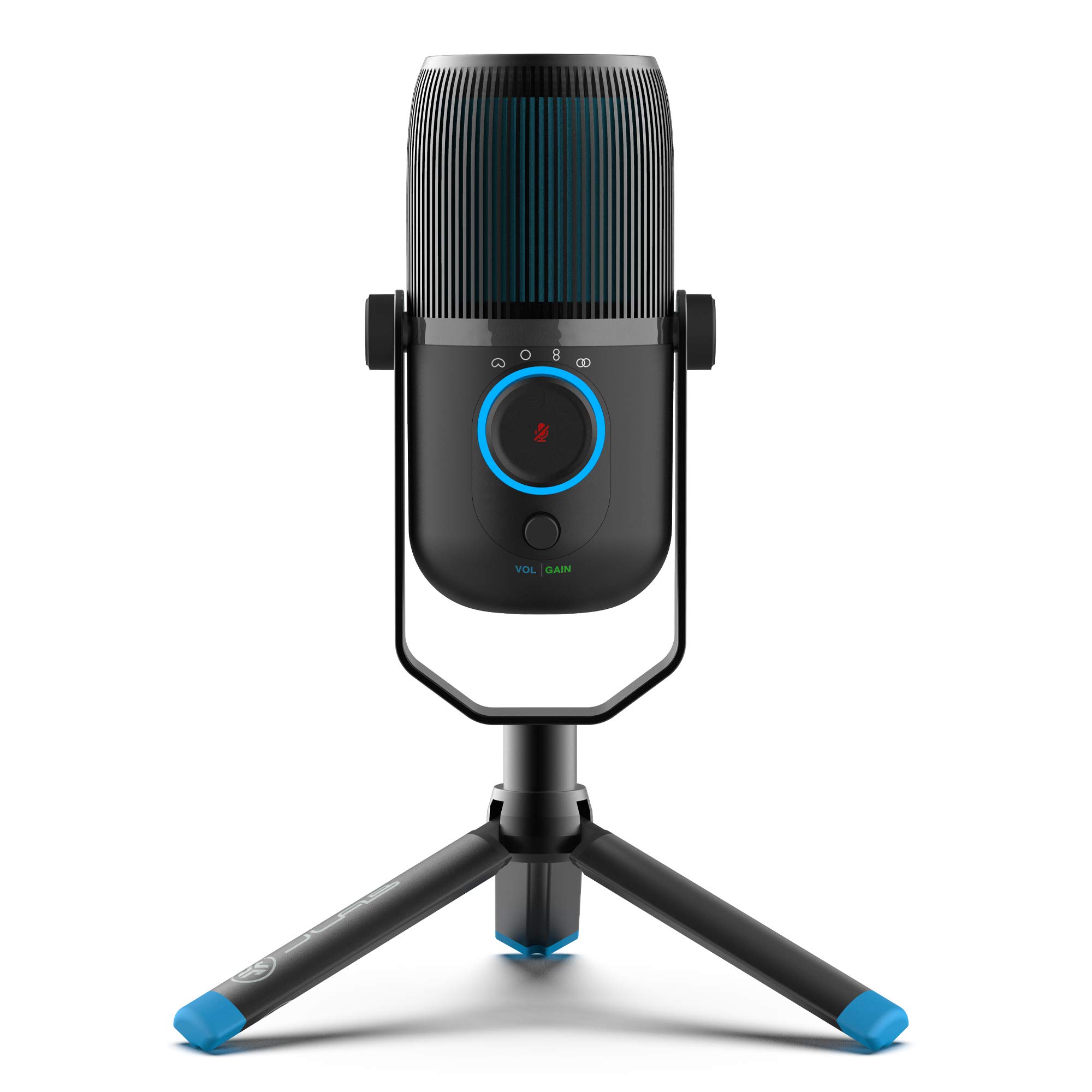
- Four pickup modes accommodate different recording arrangements.
- Gain, volume, and quick mute controls are available.
- Includes USB/USB-C cable and supports plug-and-play use.
Best For: Desktop users who switch between solo voice, group conversation, and stereo recording.
Samson Meteor Mic
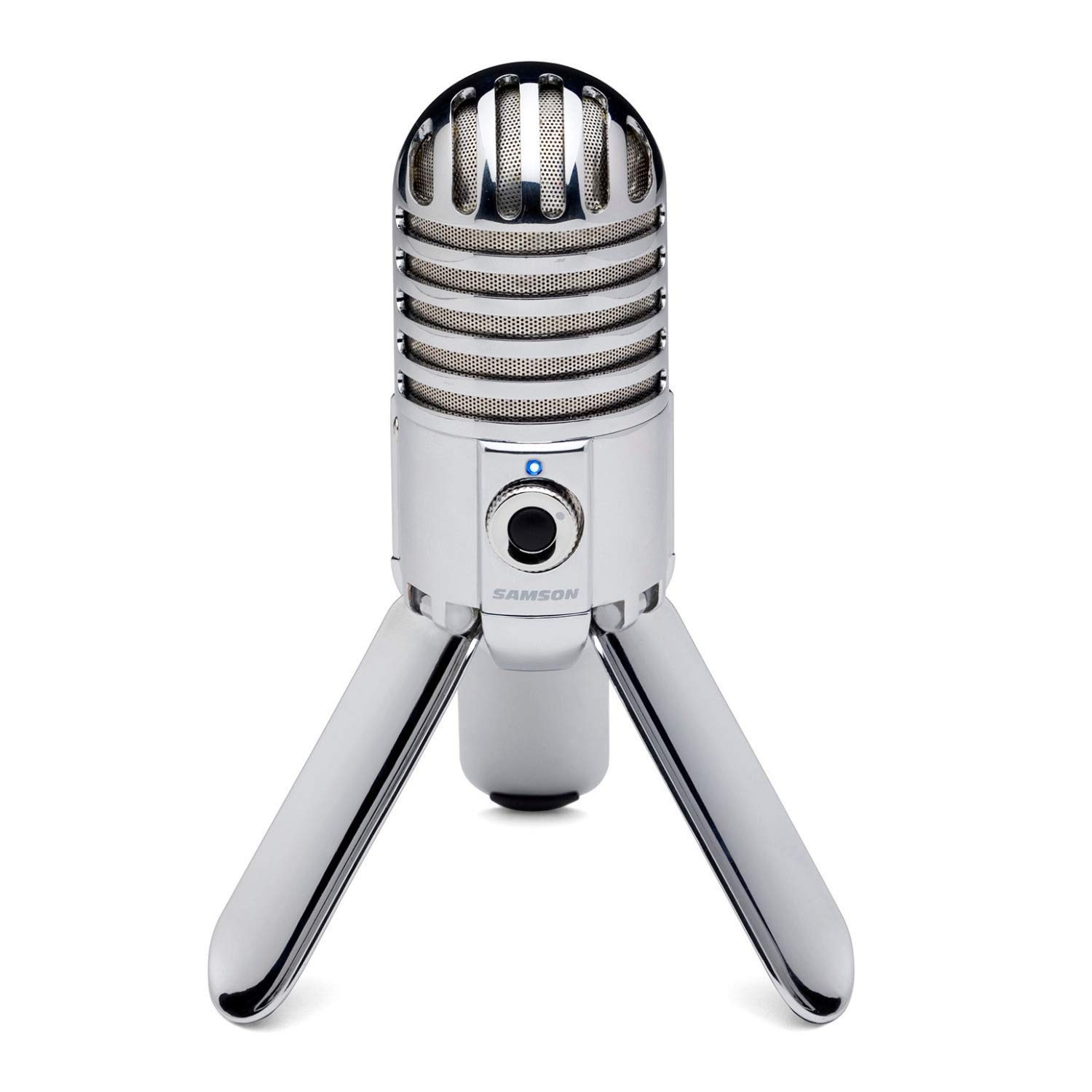
- 25mm diaphragm USB condenser in a foldable desktop design.
- Cardioid pickup is intended to minimize ambient sound.
- Includes headphone output with level control for zero-latency monitoring.
Best For: People who want a compact USB condenser with fold-back legs and headphone monitoring.
FIFINE K669B

- USB-powered cardioid condenser with a desktop tripod.
- On-mic volume knob supports quick adjustment.
- Compatible with desktop, laptop, and PS4/PS5; not phones or Xbox.
Best For: First-time PC or console users seeking an affordable-feeling setup with simple USB voice recording.
SteelSeries Alias
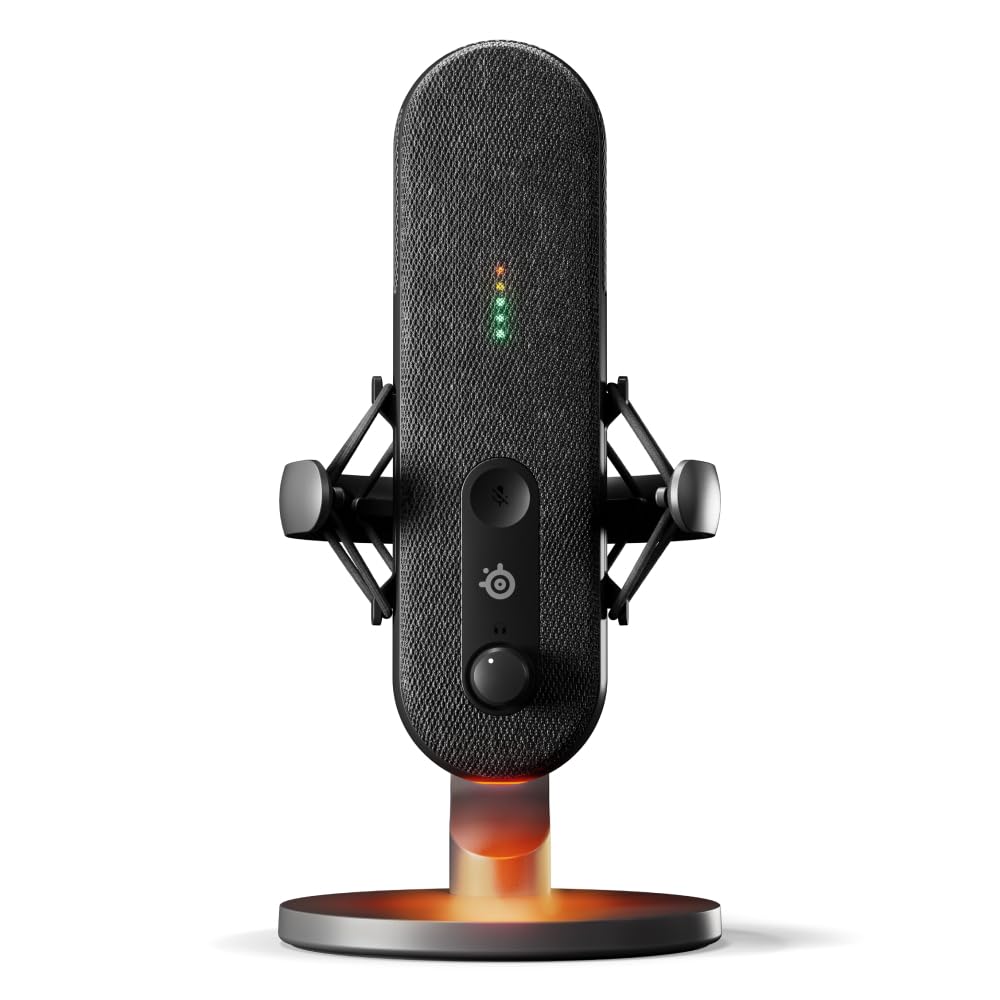
- Cardioid USB mic for gaming, broadcasting, and podcasting.
- Sonar software includes mixing, app routing, and AI noise cancellation.
- Integrated shock mount works with included desktop stand or separate boom arm.
Best For: Gamers who want a desktop USB mic with audio software, visible level monitoring, and an integrated shock mount.
Handheld Dynamic Mic With Two Connection Options
Samson Q2U Dynamic USB-C/XLR Microphone
The Samson Q2U is a dynamic handheld microphone that can connect to a computer through USB-C or to compatible gear through XLR. That makes it a practical fit if you want to begin with a direct computer connection and keep an analog option available.
The included desktop tripod, extension, clip, windscreen, and both cables give you a useful starter set for spoken-word recording. Its handheld format can suit interviews or recording away from a fixed desk position.
Check that your computer has a USB-C interface and plan for how you will position the mic during recording.
Best For: Podcasters who want a handheld dynamic mic and both USB-C and XLR connections.
| Pros | Cons |
|---|---|
|
|
Choose the Q2U if you want a handheld dynamic microphone with a direct USB-C route and an XLR option for compatible recording equipment. Its included desktop tripod and cables reduce the need to assemble a separate starter kit.
Before buying, check your computer’s connection and decide whether a desktop tripod suits your recording posture; the supplied details do not establish monitoring controls or a headphone output.
Four Pickup Modes for Different Recording Setups
JLab Talk USB Microphone, USB-C Output, Cardioid, Omnidirectional, Stereo or Bidirectional, 96k Sample Rate, 20Hz, 20kHz Frequency Response, Volume, Gain Control, Quick Mute, Plug & Play
The JLab Talk is a USB-C desktop microphone with four pickup modes: cardioid, omnidirectional, stereo, and bidirectional. That range can help when one recording setup needs to handle solo voice as well as conversations or stereo sources.
Gain and volume controls, a quick mute, and a 3.5mm AUX input for real-time listening give you access to common adjustments on the mic. It is plug and play and includes a 6.5-foot USB/USB-C cable.
Check how you intend to mount it: the body has a standard 5/8-inch input for a swivel mount or other stand.
Best For: Desktop users who switch between solo voice, group conversation, and stereo recording.
| Pros | Cons |
|---|---|
|
|
The Talk fits users who need selectable pickup patterns for more than one kind of recording. Cardioid can suit a single voice, while omnidirectional, stereo, and bidirectional modes offer other arrangements.
Check whether the included package has a desktop stand or whether you need to mount it using the 5/8-inch input. Its 96kHz/24-bit resolution is specified, though the best fit here is its pattern flexibility rather than a promise of improved results.
Foldable Desktop Design for Portable Recording
Samson Meteor Mic USB Condenser Podcasting Podcast Recording Desktop Microphone
The Samson Meteor Mic is a desktop USB condenser microphone with a 25mm diaphragm and fold-back legs. The legs support mic positioning and fold for transport, making the design useful for a portable recording setup.
A cardioid pickup pattern focuses on sound in front, and a headphone output with level control supports zero-latency monitoring. Its stated 16-bit, 44.1/48kHz resolution and 20Hz–20kHz frequency response make it a clearly specified option for voice or instrument recording.
Check your device connection and whether its desktop form suits the recording angle you need.
Best For: People who want a compact USB condenser with fold-back legs and headphone monitoring.
| Pros | Cons |
|---|---|
|
|
Choose the Meteor Mic if you want a desktop condenser with foldable legs and headphone monitoring in the microphone itself. Its listed resolution is 16-bit at 44.1/48kHz, and it is described for voice or instrument detail.
Check the cable and adapter needs for your recording device, especially if using an iPad. The foldable desktop format favors a compact self-supported setup over a boom-arm arrangement.
Compact USB Condenser With Simple Gain Control
FIFINE USB Microphone, Metal Condenser Recording Microphone for MAC OS, Windows, Cardioid Laptop Mic for Recording Vocals, Voice Overs, Streaming, Meeting and YouTube Videos-K669B
The FIFINE K669B is a USB-powered cardioid condenser microphone with a desktop tripod and a volume knob on the mic. Its direct USB-A connection is described for computers, while the notes also identify compatibility with PS4 and PS5.
The cardioid pattern focuses on voice in front, and the metal construction and tripod provide a compact desktop arrangement. It can suit everyday streaming, meetings, and voice recording without a separate 48V phantom power supply.
Check the connection requirements for your device: the notes specifically rule out Xbox and phones, despite mentioning multiple computer and console uses.
Best For: First-time PC or console users seeking an affordable-feeling setup with simple USB voice recording.
| Pros | Cons |
|---|---|
|
|
The K669B suits a simple desktop setup where a USB connection, small tripod, and physical volume knob cover the main needs. It is identified for desktop and laptop use and PS4/PS5, but not phones or Xbox, so verify your exact device before purchase.
It lacks some of the kit-style support accessories found with boom-arm options, making it a better fit for a fixed desk position than a flexible reach-over arrangement.
USB Stream Mic With On-Mic Level and Mute Indicators
SteelSeries Alias USB Mic for PC — 3x Bigger Capsule for Gaming, Streaming and Podcasting — Sonar for Streamers Audio Software — AI Noise Cancelling — LED Mute & Level Monitoring — Shock Mount
The SteelSeries Alias is a USB microphone designed for gaming, broadcasting, and podcasting. Its cardioid pattern focuses on voice, while Sonar software provides mixing, app routing, and AI noise cancellation.
LEDs on the mic show audio levels and mute status, and an RGB downlight adds a visual accent. An integrated shock mount is included and works with the included desktop stand or a separately sold boom arm.
This setup is aimed at creators who want software tools and visible controls close at hand. Check whether you prefer the desktop stand or plan to buy a boom arm, since the arm is sold separately.
Best For: Gamers who want a desktop USB mic with audio software, visible level monitoring, and an integrated shock mount.
| Pros | Cons |
|---|---|
|
|
Choose the Alias if you want a USB desktop mic with software controls and visible level and mute indicators. The integrated shock mount and included desktop stand make it usable at a desk, while a boom arm requires a separate purchase.
Check whether Sonar's software workflow fits your computer setup and whether the included stand gives the positioning you need. This option focuses on a stream-ready USB workflow rather than XLR connectivity.
How to Choose Usb Microphones
How We Picked Best USB Microphones
We selected microphones that connect directly to a computer over USB and support recognizable recording needs such as spoken-word podcasts, streaming, gaming chat, meetings, and voice or instrument recording. The range includes dynamic and condenser designs, desk microphones, handheld models, and kits with a boom arm.
Where candidates offer XLR as well as USB, that flexibility counts as a distinct workflow rather than a requirement for every buyer.
We also considered practical controls and setup details: pickup patterns, mute and gain access, headphone monitoring, included stands or arms, and stated device compatibility. A USB microphone that suits a quiet desk may not fit a multi-person conversation or an arm-mounted streaming setup, so the picks cover different ways to record.
Comparing USB Microphones for Voice and Streaming
The first choice is the recording pattern and microphone style. Single-voice cardioid models such as the Samson Meteor Mic and FIFINE K669B focus on sound in front of the capsule.
The JLab Talk and Talk Pro add omnidirectional, stereo, and bidirectional modes for alternate recording arrangements. Dynamic options such as the Q2U, K658, and MAONO models give buyers a different capsule style and, in several cases, an XLR route for later studio connections.
Then consider how the microphone will sit on your desk. The Meteor Mic and K669B have desktop positioning, while the K658 requires a separately sourced stand.
The PD200XS includes a boom arm and shock mount, and the SteelSeries Alias includes a desktop stand while allowing a separately purchased boom arm. The JLab models have a 5/8-inch mounting input; check the package details if you expect a stand to be included.
Controls also vary. The JLab microphones provide pickup-pattern, gain, volume, and monitoring options.
The K658 adds mute, gain, and headphone monitoring, and the Alias uses LEDs for level and mute status alongside Sonar software. If choosing an XLR/USB model, remember that software or on-mic controls may be limited to USB mode, and an XLR cable or compatible interface may be needed.
| Product | Standout features | Best for |
|---|---|---|
| Samson Q2UCheck Price |
| Podcasters who want a handheld dynamic mic and both USB-C and XLR connections. |
| JLab TalkCheck Price |
| Desktop users who switch between solo voice, group conversation, and stereo recording. |
| Samson Meteor MicCheck Price |
| People who want a compact USB condenser with fold-back legs and headphone monitoring. |
| FIFINE K669BCheck Price |
| First-time PC or console users seeking an affordable-feeling setup with simple USB voice recording. |
| SteelSeries AliasCheck Price |
| Gamers who want a desktop USB mic with audio software, visible level monitoring, and an integrated shock mount. |
USB Microphone Compatibility and Connection Choices
USB-C, USB-A, and device support are not interchangeable assumptions. Check the port on your computer or console and note any explicit exclusions: for example, the K669B is not compatible with phones or Xbox, while the DGM20’s software noise reduction works only on Windows.
The Q2U is described for a USB-C interface, and the USB/XLR dynamic microphones offer a path to compatible mixers or audio interfaces.
For a basic podcast or voiceover setup, plug-and-play USB keeps the connection simple. An XLR option can make sense if you already use a mixer or interface, but it adds a cable and another piece of equipment.
The PD200XS includes an adjustable arm but not an XLR cable; the Alias uses USB and its boom arm is sold separately.
Choosing a USB Mic for Your Room and Recording Style
Think about how close you can comfortably sit to the microphone and what sounds need to be captured. Cardioid models in this group focus on sound from the front, while multi-pattern JLab microphones can accommodate other arrangements.
The K658 guidance suggests a close 2 to 4 inch position; the K669B uses a desktop tripod, and some kits include pop filters or shock mounts to address plosives and desk vibration.
For voiceovers and solo podcasting, on-mic headphone monitoring can help you hear the feed during recording. For interviews or conversations around a table, multiple pickup patterns may be more useful.
Gaming and live streaming benefit from accessible mute and gain controls, so compare whether those are on the microphone or managed through software.
Who Should Buy Which USB Microphone?
Choose the Samson Q2U if you want a handheld dynamic mic with USB-C, XLR, and a starter tripod package. The JLab Talk or Talk Pro fits a desktop creator who needs several pickup patterns; the Pro specifies a higher recording resolution, while both offer gain and listening controls.
The Samson Meteor Mic suits a portable desktop condenser setup with foldable legs and headphone monitoring.
For streaming controls and arm placement, consider the MAONO PD200XS, which includes an adjustable arm and offers USB/XLR connections, or the SteelSeries Alias for USB software tools and on-mic LED monitoring. The FIFINE K658 and K669B cover more straightforward dynamic or condenser USB setups respectively; check the separate stand need on the K658 and the explicit device exclusions on the K669B before choosing.